
Would you like to learn more about Headless CMS vs Traditional CMS?
Although it may sound intimidating, a headless content management system (CMS) is nothing to fear, and it is predicted to become increasingly popular in the world of digital marketing.
We utilized Google Trends to analyze the search queries for “headless CMS” and “traditional CMS” over the last five years. The resulting chart illustrates a noticeable increase in user interest for the former.
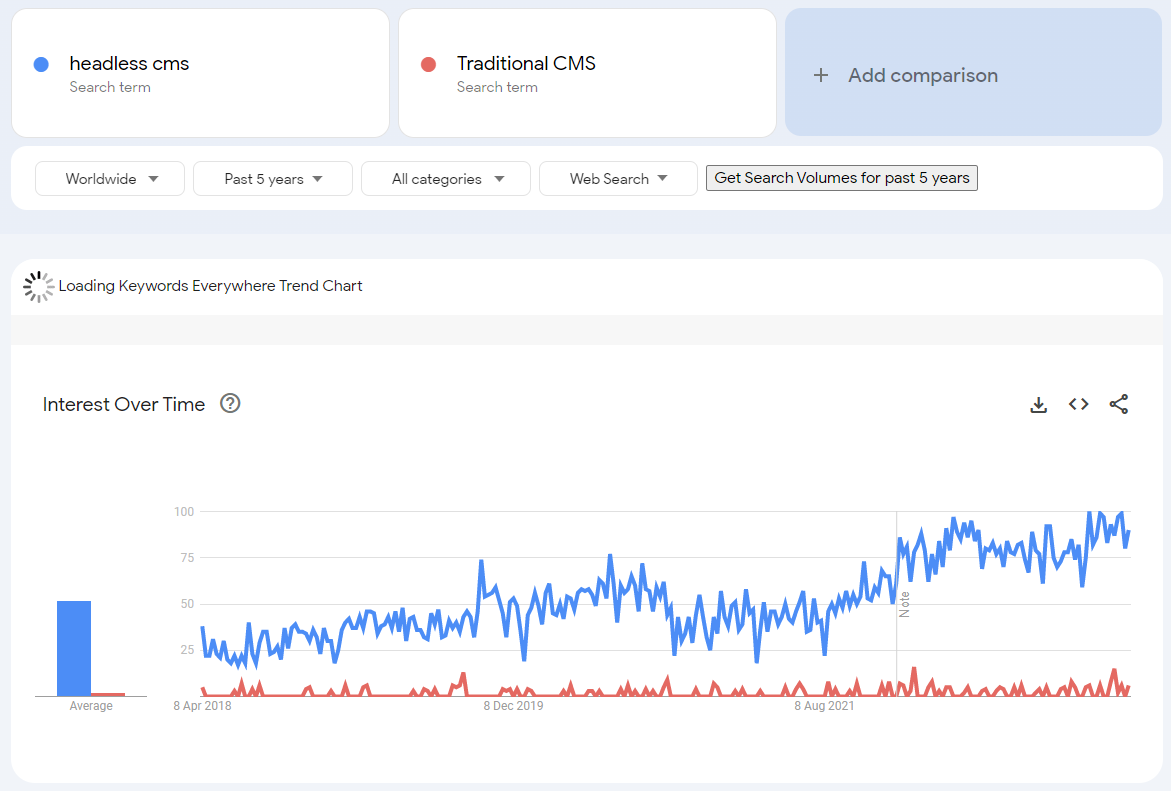
Source: Google Trend
The term “Headless CMS” began to gain global recognition around 2015, and a glance at Google Trends highlights how Headless CMSs are becoming more and more important in the age of omnichannel marketing.
In the early days of responsive web design, many content management systems could not provide omnichannel content management features. This created gaps in content publishing across various channels, which led to the emergence of Headless CMS as a solution.
Organizations seek ways to become more agile and provide optimal digital experiences for their customers. Over time, they come to realize that their content management system is hindering their progress. As a result, many organizations choose to make the switch to a Headless CMS. If you are one of those considering a shift to Headless CMS or starting a new business with one, this article is for you. Here, you’ll gain a comprehensive understanding of Headless CMS, its benefits, the differences between Traditional CMS and Headless CMS, and the available platforms.
Now, let’s delve deeper into what Headless CMS is and how it works.
What is a Headless CMS?
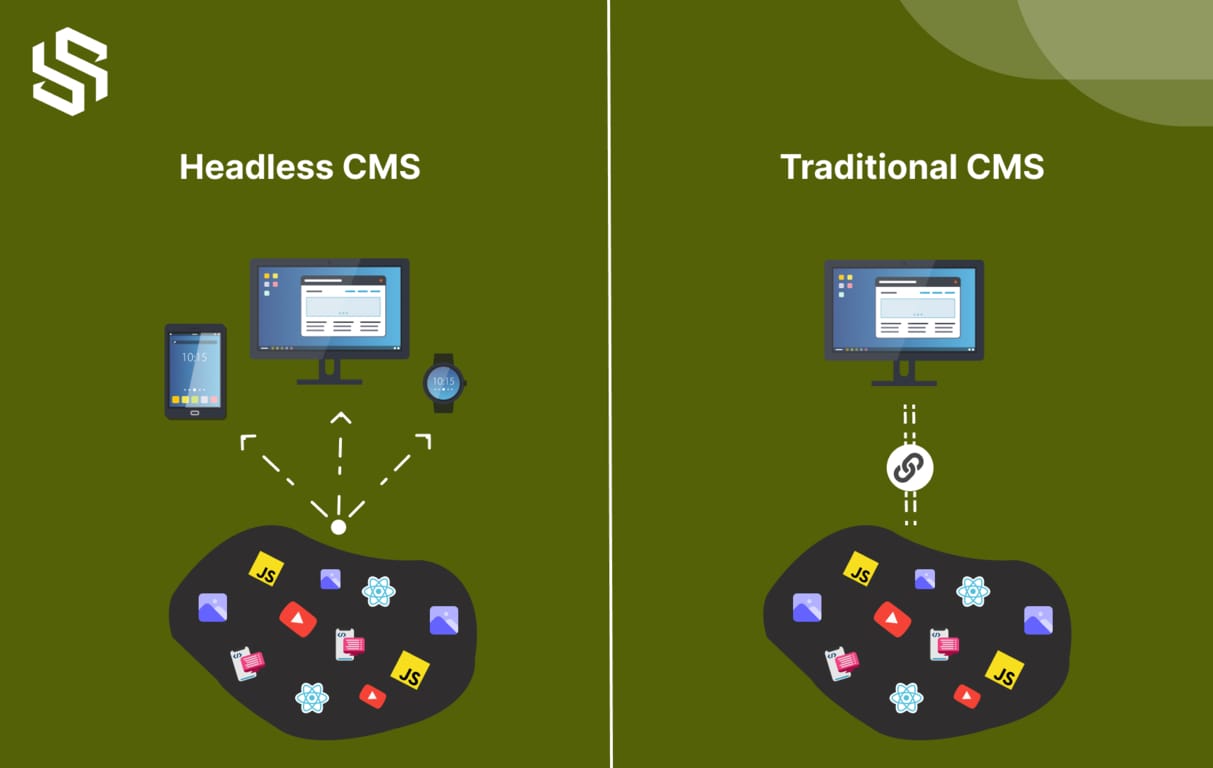
Headless CMS has gained popularity in recent years, despite its seemingly strange name. The term “headless” can be a bit confusing, but it simply means that the CMS platform has separated the presentation layer or “head” from the content database or “body.”
To better understand this concept, we can compare it to the human body. Just like how the human body has a head and a body, traditional CMS platforms have a structure where the content and databases are kept in the main body, while the presentation layer or “head” is responsible for displaying the content.
However, in the case of headless CMS, the presentation layer and the content database are kept separate. This allows for greater flexibility and freedom in how content is displayed across various channels and devices.
So, to put it simply, a headless CMS is a content management system that allows for the creation and storage of content without any predetermined structure for how that content will be displayed.
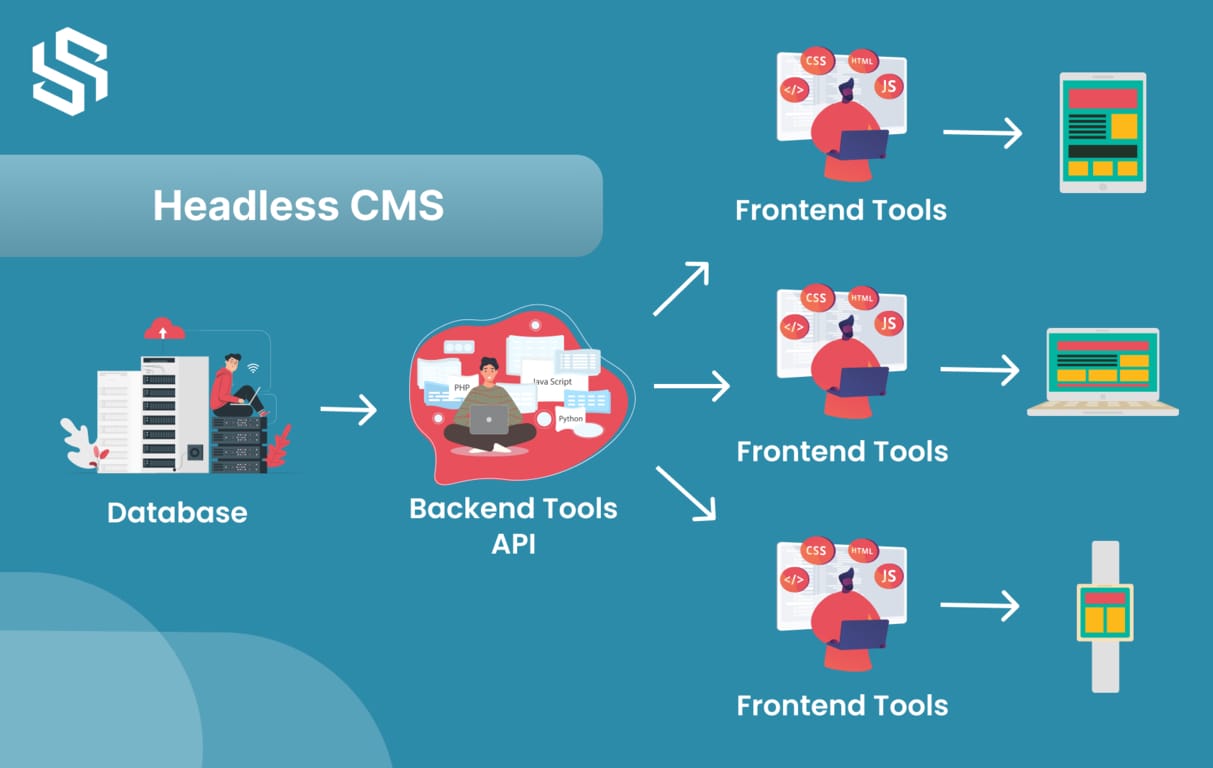
A headless CMS is a back-end content management system that is not connected to the front-end, meaning that you can create, manage, and store all of your digital assets in the back-end, but you have no control over how they are displayed in the front-end. The term “headless” is appropriate because the front-end is called the “head” and the back-end is referred to as the “body”.
To distribute your content to various channels, a headless CMS uses an application programming interface (API). Regardless of where you want to publish your content – on websites, mobile applications, or other digital platforms and devices – these external channels receive content from your CMS and deploy it via the APIs.
If you’re still unclear about how a headless CMS works and how it’s connected to APIs, there might be more questions in your mind.
The Benefits of Headless CMS
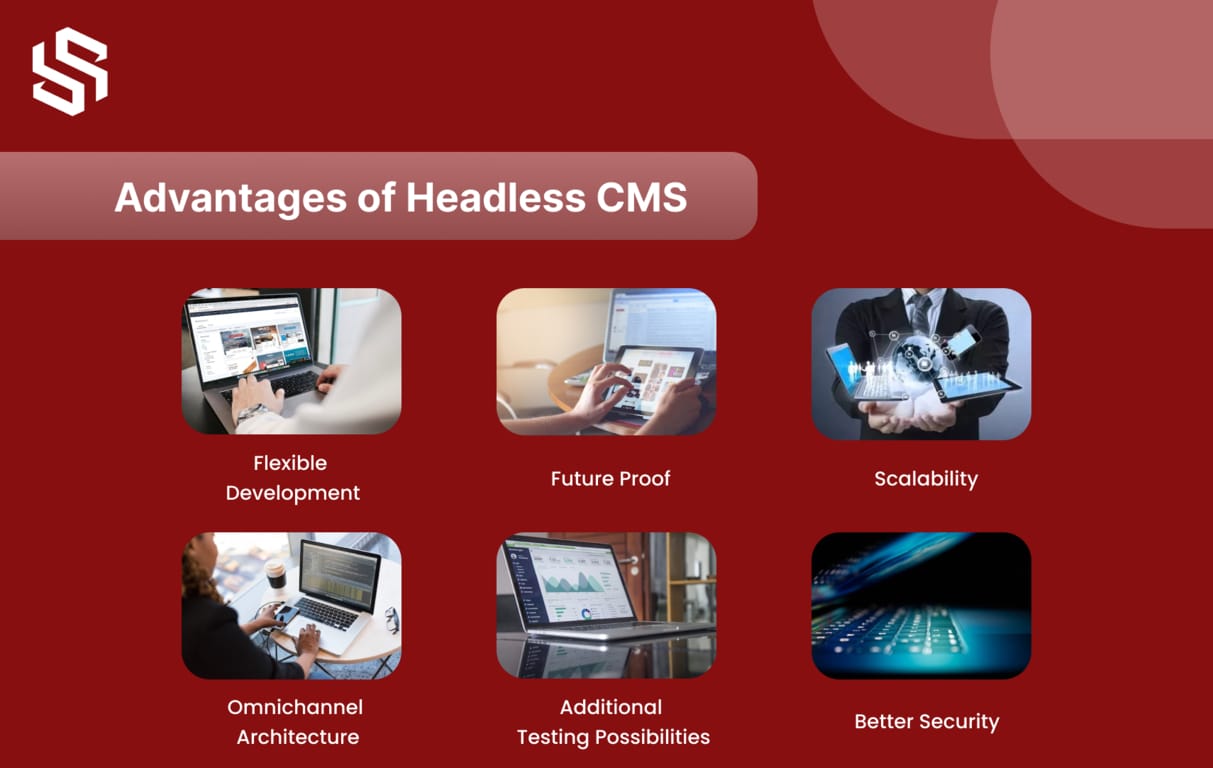
Here are some headless CMS benefits:
Flexible Development:
A Headless CMS combines the benefits of both a traditional CMS and a headless CMS architecture into a single platform by separating content from presentation.
With a Headless CMS, developers have the flexibility to work without any constraints, enabling faster project completion by utilizing the same content across multiple channels. It is also highly adaptable due to its ability to easily integrate with third-party tools and technologies.
Furthermore, Headless CMS provides the freedom to integrate any codebase or programming language, allowing businesses to create their own customized frontend framework that aligns with their branding and design. It also enables direct access to the CMS for building mini-sites and reusing content, resulting in reduced costs and quicker project delivery.
Future Proof:
The use of headless CMS has the benefit of separating the presentation layer from the data layer, making content design and versatility easier for future requirements. This eliminates the need for complex technical modifications during channel rebranding.
Moreover, headless CMS is highly adaptable to any framework or technology, allowing it to easily adjust to changes during development. This future-proof capability is one of the significant advantages of headless CMS.
In addition, headless CMS simplifies the process of transitioning from outdated toolchains to new technologies. By providing API-first content serving, changing front ends does not require significant changes to the back-end configuration. Migration complications are now a thing of the past.
Scalability:
Headless CMS is optimized for scaling, which is crucial for a website’s content management system to keep up with demand as traffic increases and deliver web pages without sacrificing uptime or performance. It can handle massive data and quickly provide web pages, which can be beneficial to both website traffic and SEO, two crucial marketing KPIs.
In addition, a headless CMS can help you make use of new and upcoming technologies, delivering an excellent experience to your customers. If you notice that your target audience is moving towards a new platform, you can start pushing more content there without changing your CMS. Just focus on how to model and distribute content, and leave the rest on APIs. Thus, you can easily scale up or down your system as per changing demands.
Omnichannel Architecture:
Creating a memorable and consistent content experience across all touchpoints can be challenging for marketers in today’s digital landscape.
However, a headless CMS offers a solution to this problem by enabling marketers to seamlessly orchestrate an omnichannel experience while maintaining consistency and relevance. This is achieved by decoupling the content from the presentation layer and managing it in a single platform.
Traditionally, CMSs were designed solely for websites, but with the rise of new technologies and platforms, new delivery layers are required. Headless CMSs enable content delivery across various channels, such as mobile apps, smartwatches, and other emerging technologies, to create a truly omnichannel experience for the target audience.
Implementing an omnichannel marketing strategy with a headless CMS can lead to higher customer satisfaction rates and increased revenue for organizations.
Additional Testing Possibilities:
It’s rare to launch a website with a flawless digital experience. Periodic changes to improve performance are necessary. The more testing you can do, the more you can improve your site’s conversion rate.
A headless CMS provides your team with more opportunities to test, iterate, and enhance the user experience. You can improve the frontend of your website or use your shared content library on the backend to enhance customer touchpoints, such as applications or in-store experiences.
Better Security:
Headless CMS platforms provide easy and secure third-party integrations and protect against security risks. As a result of the headless CMS design, the content publishing platform cannot be accessed from a CMS database, reducing the likelihood of DDoS attacks and limiting access to systems and network resources.
Since the headless CMS is entirely separate from the actual website being displayed, it can securely lock down any administrative or data-holding parts, and IP access can be limited to the CMS. Furthermore, the presentation layer and database are not interconnected, so security issues in one layer will not be transferred to another.
Content delivered through APIs is often read-only, providing an additional layer of security. Additionally, the API can be placed in multiple layers of code to reduce its vulnerability to attacks.
Overall, headless CMSs offer enhanced security compared to traditional CMSs.
The Drawbacks of Headless CMS
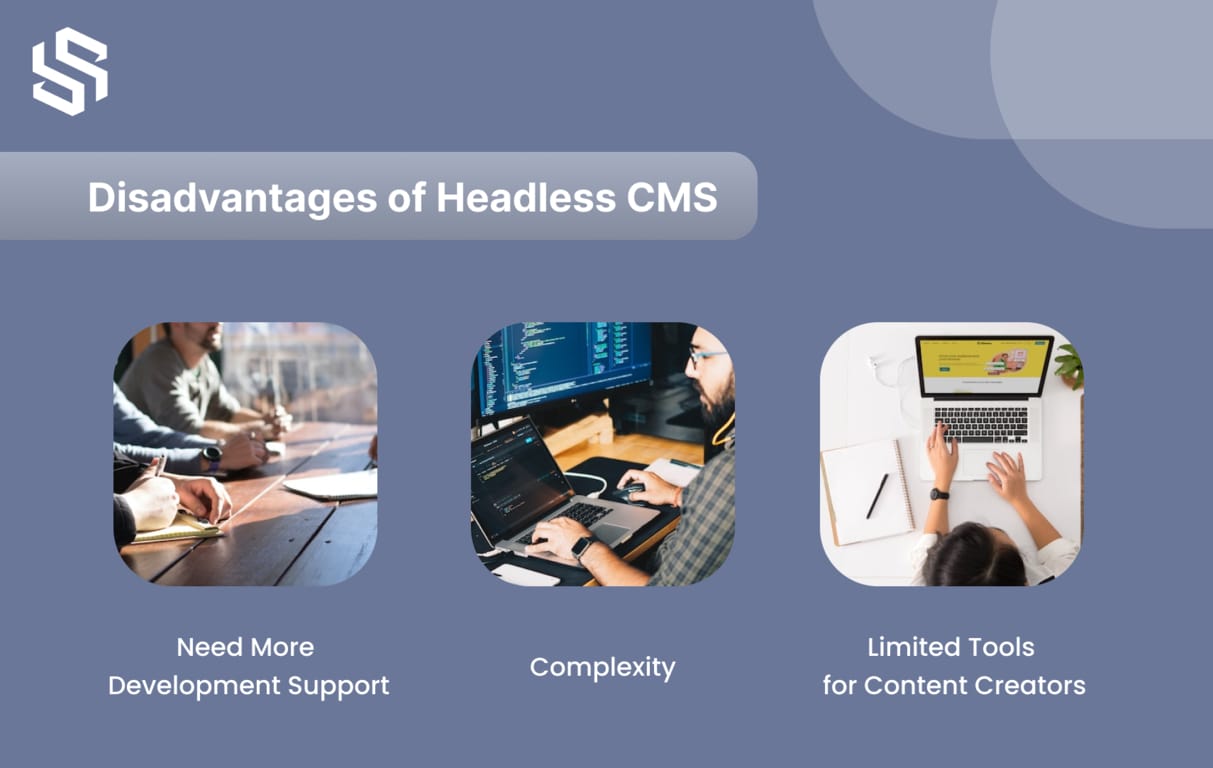
Here are some Drawbacks of headless CMS:
Complexity:
The high degree of flexibility in headless CMS can result in a more complex architecture, which requires proper design, management, and maintenance of multiple components. Failure to do so can lead to performance and reliability issues.
Need More Development Support:
While headless CMSs offer support for new technologies like IoT devices, to fully utilize their benefits, you require a team of developers who specialize in different programming languages and front-end development technologies.
Limited Tools for Content Creators:
As new headless CMSs are developed with a focus on meeting the needs of developers, they may lack intuitive content creation tools like a WYSIWYG editor for live preview. Consequently, non-technical staff may have to invest additional time and effort to perform their tasks effectively.
Transform Your Website’s SEO Strategy with Headless CMS!
What is a Traditional CMS?
A traditional CMS refers to a content delivery system where the frontend and backend are tightly coupled together in a monolithic architecture. Despite the growing popularity of headless CMSs for content delivery, traditional CMSs still hold the majority market share. With a WordPress market share of 63.5%, It is the most popular CMS right now.
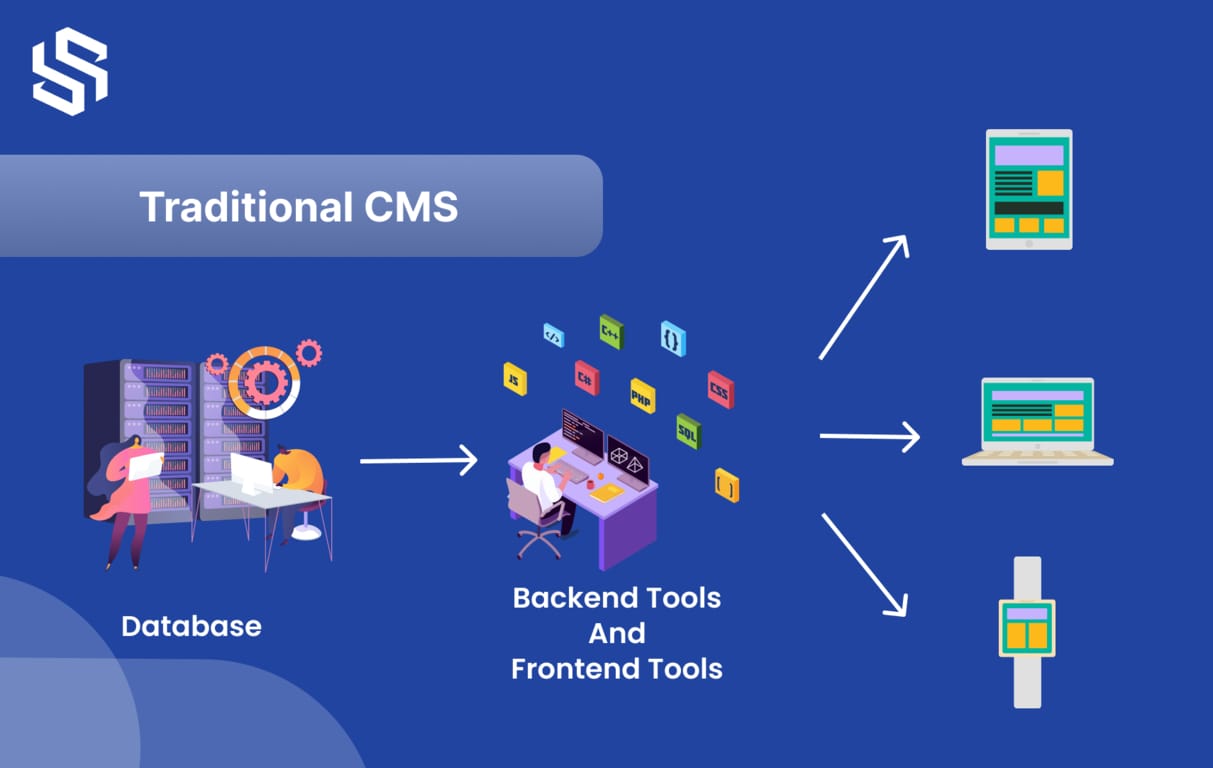
Traditional content management systems (CMS) are characterized by a monolithic structure, where the content database resides on the backend and the frontend presentation layer is predefined and structured. The tools available on the backend are closely connected to those on the frontend, making them inseparable.
Designed with content editors in mind, traditional CMSs have a page-based layout that allows authors and editors to easily create, modify, preview, and publish content using a visual interface. These CMSs come equipped with built-in templates, themes, and other components, making it easy for content editors to design and launch pages without requiring development support.
Popular traditional CMS examples include WordPress, Joomla, Squarespace, Magento, and others. These systems offer user-friendly editors and pre-built templates, simplifying the content creation process for editors.
The Benefits of Traditional CMS
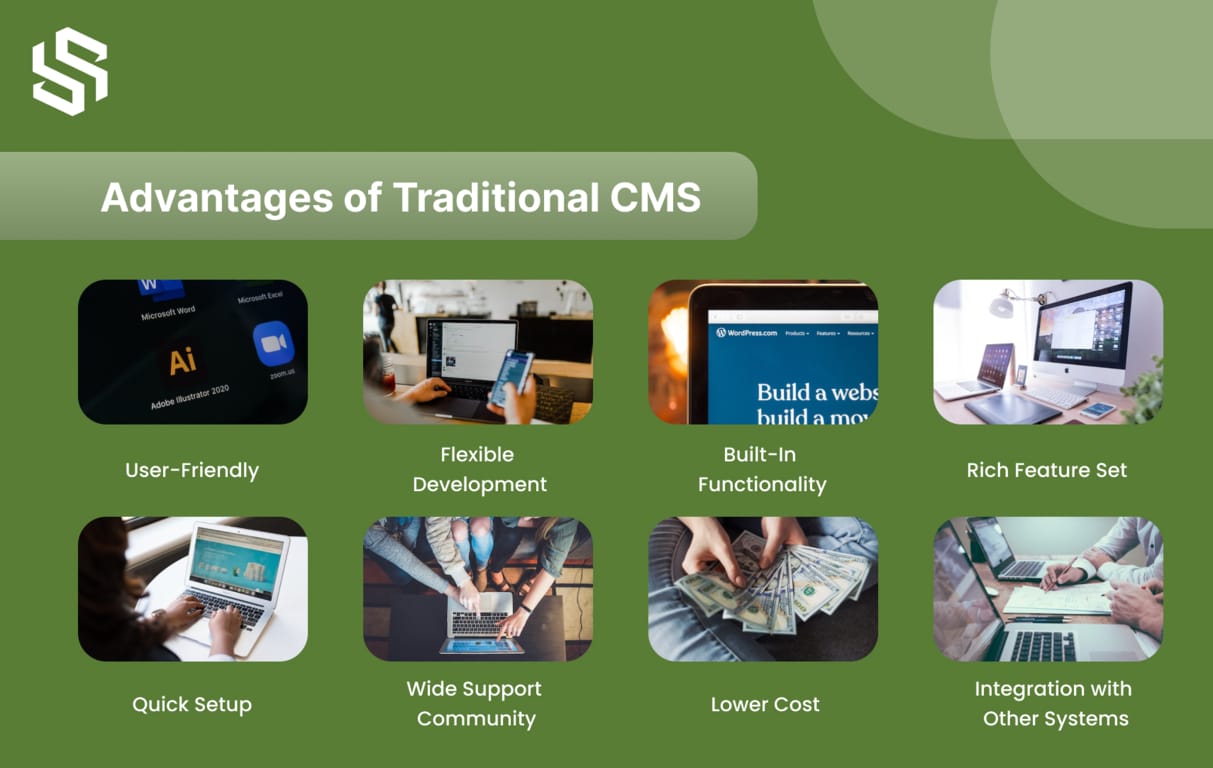
Here are some benefits of traditional CMS:
User-Friendly:
These are designed for ease of use, with an intuitive interface that’s simple for even non-technical users to manage content without having to learn complicated technical skills.
Flexible Development:
It also provides the flexibility to customize the content management system to fit your specific needs. You can tailor the content to your target customers, making it easier to engage them.
Rich Feature Set:
Traditional CMSs come packed with powerful features and plugins, allowing you to extend your system’s functionality.
Built-In Functionality:
Traditional CMSs offer built-in features such as SEO, content scheduling, and version control, helping you save time and increase productivity. Pointwise makes it easy to get the most out of your content management system.
Quick Setup:
With Traditional CMSs, you can set up your website quickly and easily – in no time, you’ll be up and running.
Wide Support Community:
Traditional CMSs have a large, active community of users and developers – so you can find the support you need when you need it.
Lower Cost:
Traditional CMSs are an economical way to manage your website content – without having to recruit expensive web developers and designers. With their simple, user-friendly interface, Traditional CMSs are ideal for cost-conscious businesses.
Integration with Other Systems:
The Drawbacks of Traditional CMS
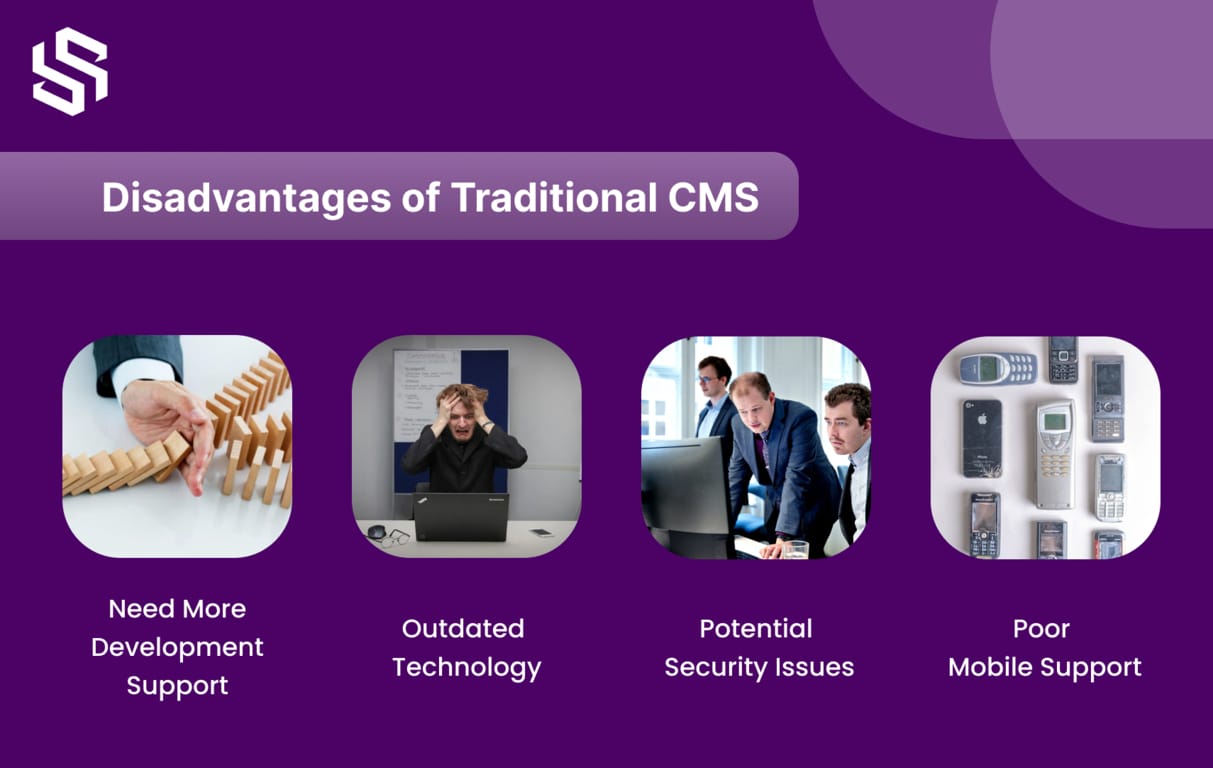
Here are some drawbacks of traditional CMS:
Limited Customization:
Traditional CMS has limited customization options, which is one of its flaws. Companies can discover that they have limited options for tailoring the system to suit their own requirements.
Outdated Technology:
Traditional CMS are often built on outdated technology. This can cause businesses to deal with compatibility issues and outdated features.
Potential Security Issues:
Conventional CMS is susceptible to security risks. To protect their clients and data, businesses must make sure their system is current and secure.
Poor Mobile Support:
It is typically lacking in traditional CMS. Because of this, reaching customers using mobile devices may be challenging for businesses.
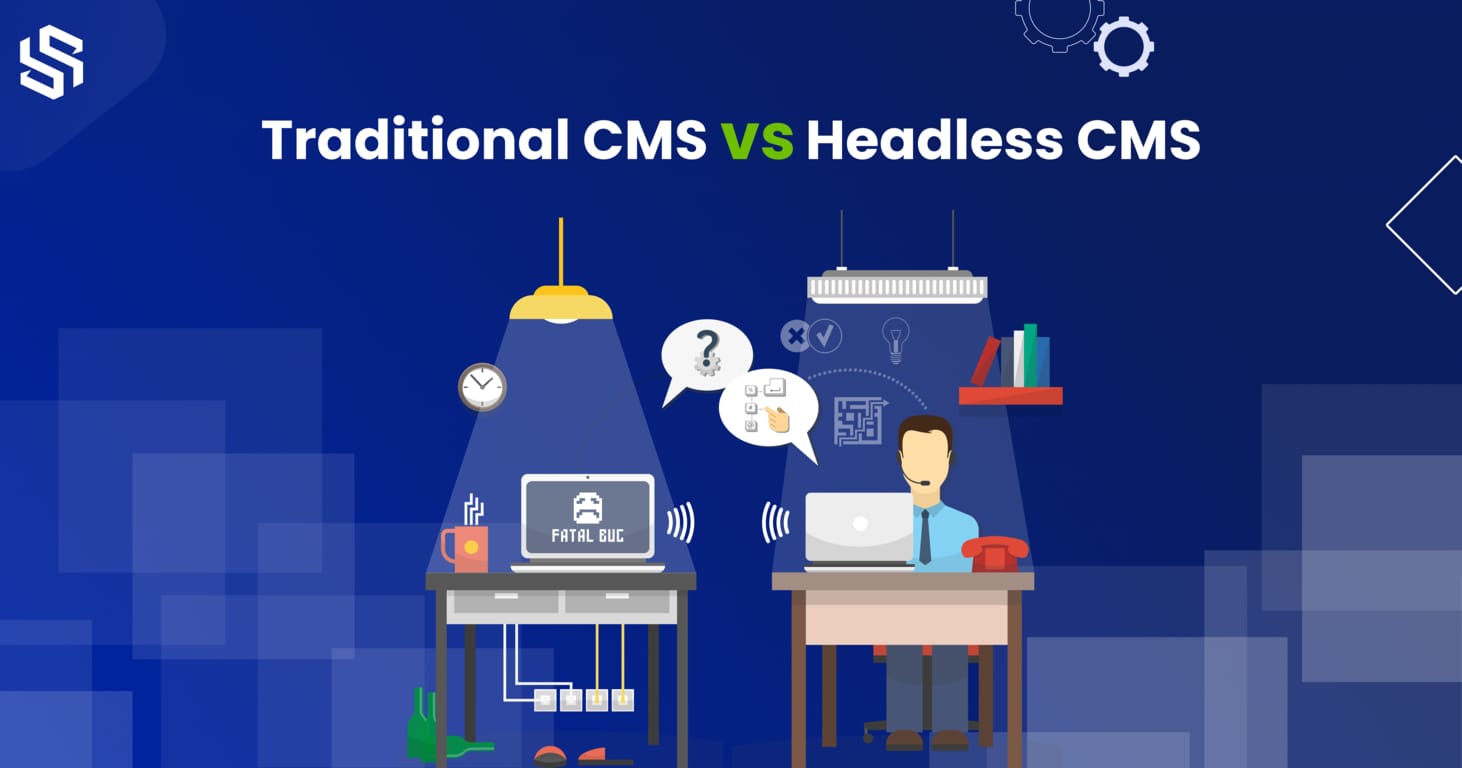
Headless CMS vs Traditional CMS
List of Top 5 Traditional and Headless CMS Platforms
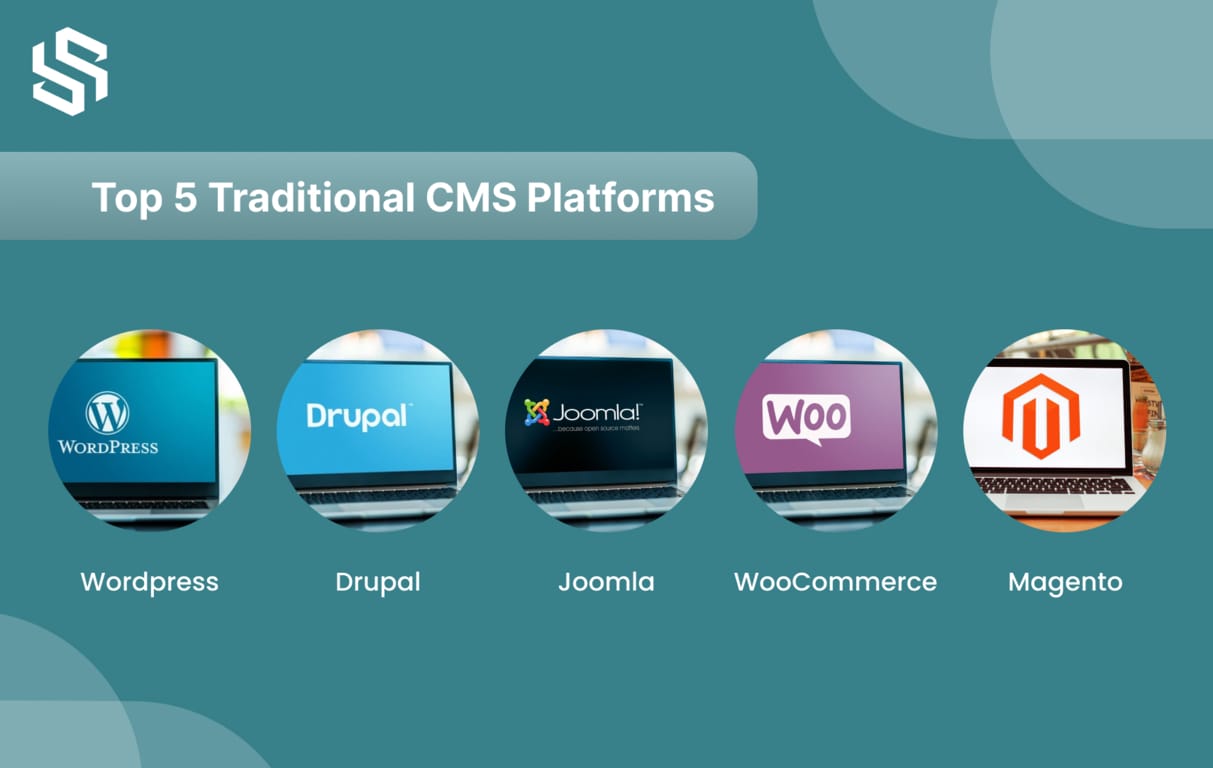
Top 5 Traditional CMS (Content Management System) Platforms
Here are examples of a Traditional CMS:
1. WordPress:
One of the top platforms for traditional CMS. WordPress is used by 41% of websites on the internet. Using MySQL or MariaDB databases and HTTPS capabilities, it is an open-source CMS platform.
Features:
- Data insights and Content analytics
- eCommerce Store Administration
- Tools for creating content in Gutenberg
- Centralization of content and performance improvement
Pros:
- WordPress offers flexible pricing options to suit different budgets and needs.
- It provides a wide selection of free themes and useful plugins that can be customized to enhance the user’s experience.
Cons:
- Some WordPress themes and plugins may be unreliable or of poor quality, which could affect the site’s functionality and security.
- WordPress lacks direct customer support, relying mainly on forums, tutorials, and documentation to assist users.
2. Drupal:
It is an open-source traditional CMS platform that’s released under a General Public License. It’s written in PHP and is highly customizable.
Features:
- Automated language translation is available for over 100 languages.
- Utilize data from geolocation, browser history, device type, and behavior taxonomies to create a personalized customer experience.
- Create automated marketing campaigns to expand your reach.
Pros:
- Regular security tests conducted by CMS software reduces vulnerability to security threats.
- Built-in modules aid in expanding the site’s functionality.
Cons:
- Knowledge of coding languages like PHP, CSS, and HTML is required.
- Upgrading to a new version and managing Drupal can be time-consuming.
3. Joomla:
Joomla is another open-source platform for website development and traditional content management. It’s also written in PHP, using object-oriented programming, and stores data in a MySQL database.
Features:
- Create advertising campaigns to monetize the website.
- The platform’s core software supports more than 70 languages for websites.
- Visitors can easily find relevant information on the website using the built-in search tool or smart search feature.
Pros:
- Efficiently manage a website with hundreds of sub-pages.
- Use 2-factor authentication to prevent unauthorized access.
Cons:
- The terminology used in the control panel for web development may not be easy for beginners to understand.
- Modules, extensions, and plugins may not be compatible with each other.
4. WooCommerce:
This is an open-source eCommerce CMS platform that is built to work with WordPress. It provides a wide range of features to create and manage an online store.
Features:
- Extensive payment gateway options.
- Multiple shipping options and tax calculations.
- Catalog management with various product types, categories, and tags.
- Advanced inventory management with real-time updates.
- Customer account creation, order management, and tracking.
- Integration with various plugins and extensions for additional features.
Pros:
- User-friendly and easy to set up, even for beginners.
- High customizability with a wide range of themes and plugins.
- Great support and documentation resources.
Cons:
- Limited features and functionality out of the box compared to other eCommerce platforms.
- Scaling up can be challenging, and advanced features require significant technical expertise.
5. Magento:
It is an up-and-coming open-source eCommerce CMS platform that uses MySQL and Zend PHP databases. It offers store owners complete control over their online store’s design, content, and functionality.
Features:
- Checkout process with a secure payment gateway utilizing Worldpay and Cybersource.
- Touch-friendly design elements for ease of use on mobile devices.
- The back-end admin dashboard is touch-sensitive, allowing for efficient editing.
- Catalog management with virtual product showcasing, streamlined inventory management, instant product creation, and dynamic pricing options.
Pros:
- Ability to effectively manage multiple stores located in different regions, each using distinct languages and currencies.
- Responsive content management system that adapts well to mobile devices.
Cons:
- The initial setup process can be complex and may require significant effort to complete.
- Customizing the design and listing products may take a considerable amount of time.
Join the Next Generation of Web Development with Headless CMS!
Top 5 Headless CMS (Content Management System) Platforms
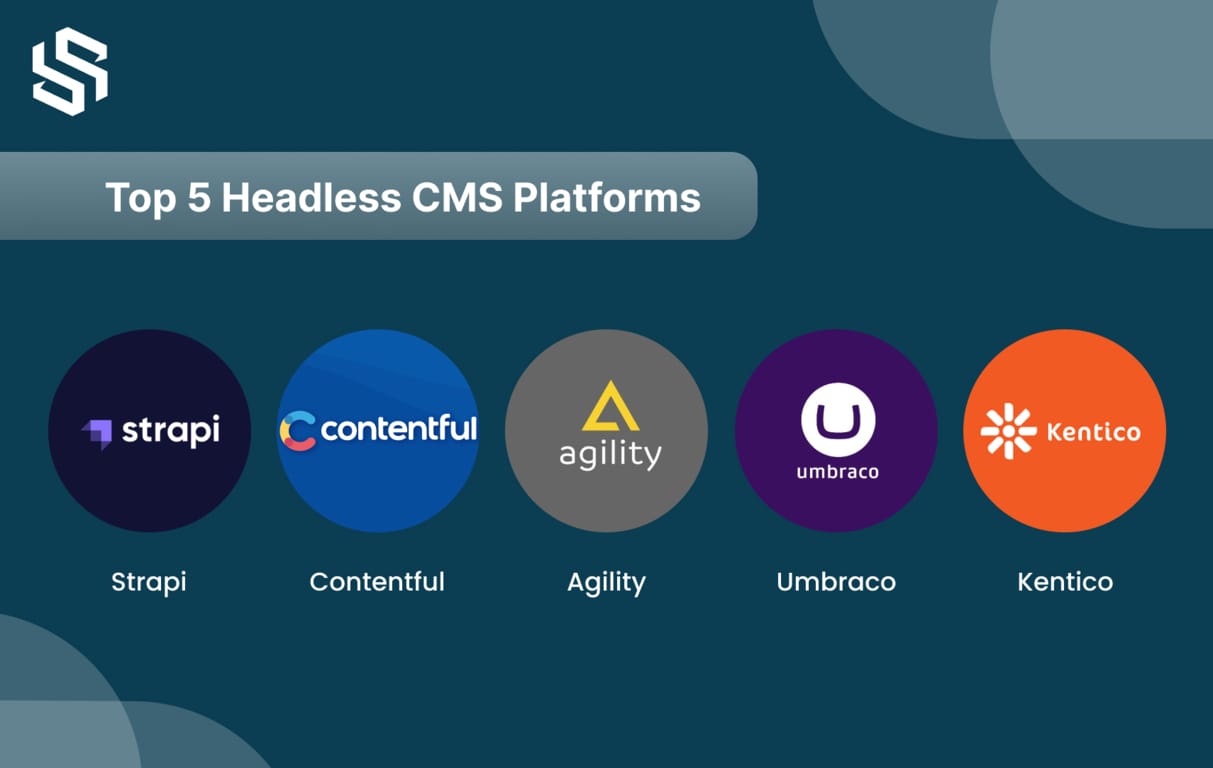
Here are Headless CMS examples:
1. Strapi:
Strapi is an open-source headless CMS built on Node.js, offering developers a lightweight, highly flexible system for managing and distributing content through numerous APIs. Strapi has a developer-first approach.
Features:
- Multi-database support for SQLite, MongoDB, MySQL, and Postgres.
- Webhooks functionality.
- Customizable API for tailored integration.
- Internationalization support for multilingual websites and applications.
Pros:
- Easy third-party integration due to the platform’s user-friendly API.
- Intuitive and clean user interface with customizable APIs.
Cons:
- Limited admin roles available based on the subscription plan.
- Lack of support for Typescript, a superset of the JavaScript language, which could have been beneficial for managing large-scale JavaScript projects.
2. Contentful:
Contentful is a headless CMS platform that prioritizes API functionality for content creation, management, and publishing on various digital channels.
Features:
- Add users and assign roles to create content with a single account.
- Organize different types of content, such as text or images, using fields.
- Integrate additional applications from Contentful and third-party cloud software to optimize functionality and tools.
Pros:
- Adaptable to all digital platforms, including web browsers and mobile apps.
- Flexible with different types of content.
Cons:
- Focuses mainly on back-end functionality without adjusting the actual layout.
- Creating content on different platforms requires technical knowledge.
3. Agility CMS:
It is a multi-tenant SaaS platform that is highly customizable and considered the most adaptable and fastest headless CMS in the market. It offers an extensible user interface for marketers and is simple for developers to customize.
Features:
- User-friendly interface for marketers
- Customizable templates and workflows
- Integrations with popular tools and services
- Developer-friendly environment for customization and API development
Pros:
- Highly customizable to meet specific business needs
- Extensible user interface makes it easy for marketers to manage content
- Developer-friendly environment supports customizations and API development
- Multi-tenant SaaS platform ensures fast and scalable performance
Cons:
- Pricing may be higher than some other headless CMS options
- The platform may require technical expertise to fully customize and optimize.
4. Umbraco:
It is a flexible, open-source headless CMS that offers a range of features for content creators and developers.
Features:
- Allows for the flexible addition of content and custom components in any configuration.
- Enables the creation and management of multilingual content directly on the editor.
- Tracks changes and allows users to revert to previous versions of web content.
Pros:
- Ability to display content on numerous digital platforms.
- Regular security patches that quickly address any identified threats and enhance system security.
Cons:
- Some plugins that extend functionality may not be available.
- Lack of a developer community for support or collaboration.
5. Kentico:
It is a content management system (CMS) that offers a range of features for creating, managing, and publishing digital content.
Features:
- Helps to identify and correct typos on all websites.
- Allows for the scheduling of tasks such as running nightly summary reports and syncing data.
- Provides insights into visitor behavior and journey.
Pros:
- Kentico offers a variety of tools for content management, eCommerce, and online marketing that can enhance digital strategy.
- Latest security protocols and data backup features are available to implement.
Cons:
- Kentico’s cost may be higher than other CMS platforms.
- Technical knowledge is required to optimize and grow a site on the platform.
Choosing the Right CMS for Your Website
It’s important to note that there is no one-size-fits-all approach to content management. The choice of CMS platform depends on several factors, including the size and complexity of your organization, as well as the type of customer experiences you wish to offer.
For some organizations, the ability to deliver content seamlessly across multiple channels and leverage data from customer touchpoints throughout their journey is critical, making a headless CMS the best fit. In contrast, smaller organizations or those just starting may only require speed and efficiency in content delivery through a single channel, making a traditional CMS the best choice. Ultimately, the choice of CMS platform should be based on your specific needs and goals, rather than a one-size-fits-all approach.
In any case, the CMS is a critical platform that has a big impact on a business’s entire marketing strategy. Making the right decision can streamline marketing processes, boost revenues, and lower expenses. The right CMS system may help you in achieving boundless growth by boosting client retention and converting current clients into brand ambassadors who bring in new clients.
Do you want a website that engages your audience and drives conversions? Our web development services can help.
Let us assist you in achieving your goal.
Tips for implementing a Headless CMS or Traditional CMS
Here are some tips for implementing a Headless CMS or Traditional CMS:
1. Get internal support and input
2. Evaluate your current and future business needs
3. Find an implementation partner
4. Put together a shortlist and do your homework
5. Write a request for proposal
6. Evaluate vendor responses
Conclusion
Users are increasingly accessing content through a wide range of devices and channels, requiring organizations to deliver superior omnichannel experiences. To do so, the simplest approach is to use a headless CMS. But when content is used on many different platforms, technologies can quickly become complex; so businesses turn to headless CMS for an effective solution.
Traditional CMS development offers an all-in-one solution for content management with a built-in frontend, making it ideal for small to medium-sized businesses. On the other hand, headless CMS development provides more flexibility, allowing developers to create custom front-end experiences while still using a backend content management system, making it more suitable for larger enterprises. Ultimately, the choice between the two depends on the specific needs and goals of the business. A headless CMS provides users with a uniform experience across multiple platforms, devices, and channels, making it the ideal choice for the future. With its flexibility to integrate any technology, a headless CMS ensures your customers have the best experience possible.
At Syndell, our web development consultants are always ready to help you choose the right CMS for your business. Our expert developers will provide the support you need to create a great UI and a fantastic customer experience. Get in touch today to tap into our team’s potential and take your customer experience to the next level.
FAQs
A headless CMS is used to store and manage content, but instead of being presented on a standard web page, the content is delivered using APIs. This eliminates the need for special coding and enables developers to access content on any device and create content-rich experiences.
A headless CMS is not limited to being just an API. It also has capabilities for analytics, version control, and content management.
The scalability and flexibility of traditional CMSs are limited because they are designed around a web page. However, they don’t offer the same level of customization and require more manual coding.
A headless CMS has the potential to enhance SEO by improving content accessibility and consistency across various devices. It also makes it easier for developers to effectively optimize their content for search engines.
Yes. Headless CMSs can be more expensive than traditional CMSs because they require more technical skills to install and maintain.
Yes, A Traditional CMS can be converted into a headless CMS using the appropriate development tools and APIs.
A headless CMS is built on APIs, which give developers access to and delivery of content from any platform or device.
Yes, It is possible to integrate headless CMSs with well-known eCommerce platforms to create content-rich experiences.
The most popular CMS for making blogs is WordPress. It is simple to use and has strong capabilities to produce stunning and engaging content.