Skip to content
Syndell-Logo
  • AI

    AI Consulting

    AI Agent Development

    AI Integration

    AI Staffing

    Generative AI Development

    Computer Vision Development

    AI And ML Services

    LLM Development

    Robotic Process Automation

    Workflow Automation

    Chatbot Development

    • AI Consulting
    • AI Agent Development
    • AI Integration
    • AI Staffing
    • Generative AI Development
    • Computer Vision Development
    • AI And ML Services
    • LLM Development
    • Robotic Process Automation
    • Workflow Automation
    • Chatbot Development
  • Services
    • Custom Application Development
    • MVP Development
    • Web Development
    • Mobile App Development
    • Full Stack Development
    • Cross-Platform App Development
      • Custom Software Development
      • Startup Solutions
      • On-demand Solutions
      • Software Consulting
      • ERP Software development
      • AR/VR Development
      • IoT Development
      • Microservices
      • Software Product Development
      • Software Development Outsourcing
      • Data Warehouse
      • Data Migration
      • Data Cleansing
      • Data Visualization
      • Data Integration
      • Big Data
      • Business Intelligence
      Machine Learning
      • ML Consulting
      • Tensorflow Development
      • Cloud Services
      • Cloud Migration
      • Cloud Consulting
      • Cloud Integration
      • Cloud Managed Services
      • Devops Consulting
      • Devops Implementation
      • Devops Containerization
      • Devsecops Services
      • DevOps Automation
      • IT Consulting
      • IT Staff Augmentation
      • IT Outsourcing
      • ADA Website Compliance
      • Saas Application Development
      • Saas Consulting
      • Saas Architecture
      • AI Marketing
      • SEO Services
      • Guest Posting Services
      • Google Ads Management
      • ChatGPT Ads Management
      Get Future-Ready To
      Explore Robust Digital
      Solutions!
      Schedule a Meeting
      Application Development
      • Custom Application Development
      • MVP Development
      • Web Development
      • Mobile App Development
      • Full Stack Development
      • Cross-Platform App Development
      Software Engineering
      • Custom Software Development
      • Startup Solutions
      • On-demand Solutions
      • Software Consulting
      • ERP Software development
      • AR/VR Development
      • IoT Development
      • Microservices
      • Software Product Development
      • Software Development Outsourcing
      Data Engineering
      • Data Warehouse
      • Data Migration
      • Data Cleansing
      • Data Visualization
      • Data Integration
      • Big Data
      • Business Intelligence
      AI/ML
      Artificial Intelligence
      • AI Consulting
      • AI Agent Development
      • AI Integration
      • AI Staffing
      • Generative AI Development
      • Computer Vision Development
      • AI And ML Services
      • LLM Development
      • Robotic Process Automation
      • Workflow Automation
      • Chatbot Development
      Machine Learning
      • ML Consulting
      • TensorFlow Development
      Cloud
      • Cloud Services
      • Cloud Migration
      • Cloud Consulting
      • Cloud Integration
      • Cloud Managed Services
      DevOps
      • Devops Consulting
      • DevOps Implementation
      • Devops Containerization
      • DevSecops Services
      • DevOps Automation
      IT Services
      • IT Consulting
      • It Staff Augmentation
      • It Outsourcing
      • ADA Website Compliance
      SaaS
      • Saas Application Development
      • Saas Consulting
      • SaaS Architecture
      Digital Marketing
      • AI Marketing
      • SEO Services
      • Guest Posting Services
      • Google Ads Management
      • ChatGPT Ads Management

      Get Future-Ready to
      Explore Robust Digital
      Solutions!

      Schedule a Meeting
    • Technologies
      Frontend
      • Angular JS Development
      • React JS Development
      • Vue JS Development
      • Next JS Development
      Cloud
      • AWS Development
      • Google Cloud Development
      • Azure Development
      Mobile
      • iOS Development
      • Android App Development
      • React Native Development
      • Flutter Development
      Data Analytics
      • Power BI
      • Tableau
      eCommerce & CMS
      • WordPress Development
      • Shopify Development
      • Webflow Development
      • WooCommerce Development
      Database
      • MySQL
      • MongoDB
      • DynamoDB
      Backend
      • Node JS Development
      • Laravel Development

      Elevate Your Business with Next-Gen Tech!

      Technologies Menu CTA - 2
      Start Your Journey
      Frontend
      • Angular JS Development
      • React JS Development
      • Vue JS Development
      • Next JS Development
      Backend
      • Node JS Development
      • Laravel Development
      Mobile
      • iOS Development
      • Android Development
      • React Native Development
      • Flutter Development
      eCommerce & CMS
      • WordPress Development
      • Shopify Development
      • Webflow Development
      • WooCommerce Development
      Data Analytics
      • PowerBI
      • Tableau
      Cloud
      • AWS Development
      • Google Cloud Development
      • Azure Development
      Database
      • MySQL
      • MongoDB
      • DynamoDB

      Elevate Your Business with Next-Gen Tech!

      Start Your Journey
    • Hire
    • Industries

      Business

      Sports

      Healthcare

      Restaurant

      Real Estate

      Fintech

      Education

      Logistics

      Travel

      Ecommerce

      Entertainment

      Social Networking

      • Business
      • Sports
      • Healthcare
      • Restaurant
      • Real Estate
      • Fintech
      • Education
      • Logistics
      • Travel
      • Ecommerce
      • Entertainment
      • Social Networking

      Have Any Other
      Industry In Mind?

      Contact Us
    • Case Studies
    • Company
      • About Us
      • Infrastructure
      • Life at Syndell
      • Leadership Team
      • Client Testimonials
      • Careers
      • Areas We Serve
      • Blogs
      syndell logo

      Corporate Profile

      Empower Your Business Through Digital Transformation
      Download PDF!

      Phone No.

      +1-858-275-3535

      Email Address

      [email protected]

      Watch Video

      Who We Are
      • About Us
      • Infrastructure
      • Client Testimonials
      • Life at Syndell
      • Careers
      • Leadership Team
      • Areas We Serve
      Insights
      • Blogs

      Corporate Profile

      Empower Your Business Through Digital Transformation
      Download PDF!
    • Contact Us
    Contact Us
    Home » Web App vs Desktop App: When Does a Native Windows App Make Sense?
    • Web

    Web App vs Desktop App: When Does a Native Windows App Make Sense?

    Date logo
    • April 2, 2024
    Clock logo
    6 Min Read
    • Kuldeep Modi
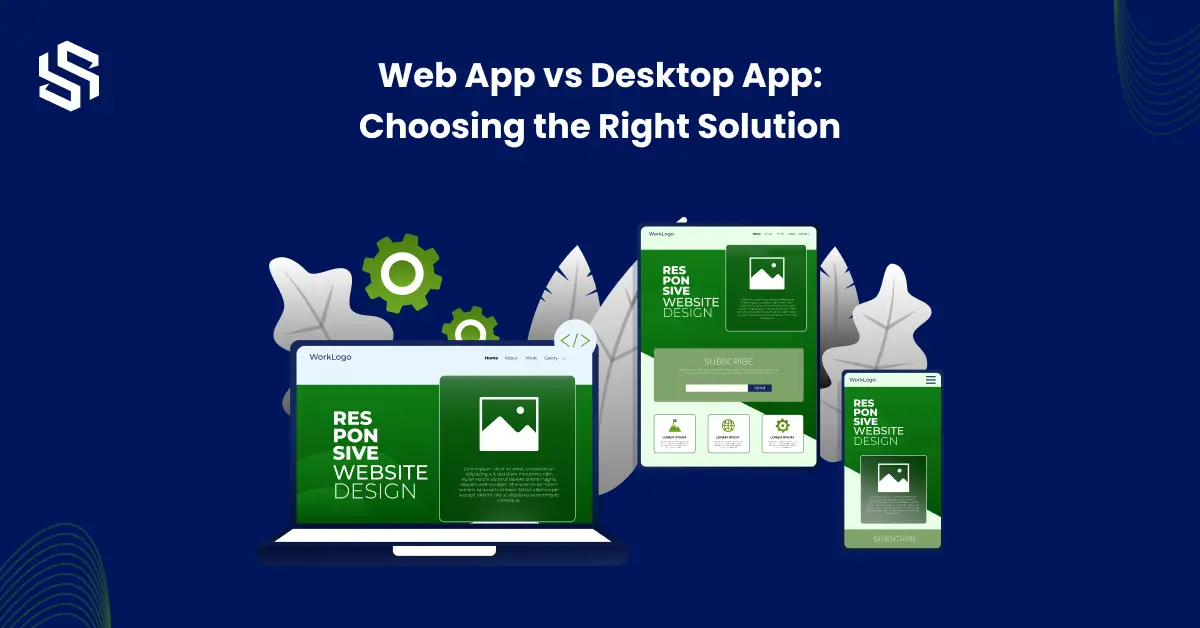
    Web App vs Desktop App_Choosing the Right Solution
    Table of Contents

    Looking

    to develop a tailored
    software solution?
    With over years of expertise and projects successfully delivered for clients globally, our team transforms your concepts into reality. Let’s discuss your project.
    Schedule a Meeting
    Explore differences between web apps and desktop apps. Our comparison covers performance, accessibility, security & helps you make an informed decision.

    In today’s dynamic business landscape, the choice between web application development services and desktop app development services holds significant importance in shaping operational efficiency and enhancing user engagement.

    As businesses continuously adapt to meet evolving customer needs and streamline internal workflows, it becomes crucial to grasp the differences between these two approaches. In this blog, we’ll delve into the realm of application development, examining the distinct advantages and considerations of web apps vs desktop apps. By scrutinizing their individual strengths and use cases, our aim is to equip businesses with the knowledge needed to make informed decisions that align with their objectives and foster long-term success.

    9 Innovative OpenAI Features You Can Integrate Into Your Web App

    Understanding Web Apps and Desktop Apps

    Web Applications (Web Apps):

    Web apps are software programs that reside on remote servers and are accessed through a web browser like Chrome, Firefox, or Safari.

    Key Characteristics:

    • Accessible from any device with an internet connection
    • No installation is required – users simply access the web app through a URL
    • Updates are handled automatically by the developer
    • Typically offer a consistent user experience across different platforms

    Benefits of Web Apps for Businesses:

    • Accessibility:
      Web apps allow employees and customers to access the application from anywhere with an internet connection, promoting remote work and collaboration.
    • Cross-Platform Compatibility:
      A single web app can function on desktops, laptops, tablets, and smartphones without needing separate versions for each platform.
    • Ease of Updates:
      The developer deploys Updates and enhancements centrally, ensuring everyone uses the latest version without manual intervention.
    • Reduced IT Overhead:
      Since installation and updates are handled centrally, there’s less strain on internal IT resources.

    Examples of Popular Web Apps Used in Business:

    • Project Management Tools: Trello, Asana, Monday.com
    • Communication and Collaboration Tools: Slack, Microsoft Teams, Google Meet
    • Customer Relationship Management (CRM): Salesforce, HubSpot CRM, Zoho CRM
    • Email Marketing Tools: Mailchimp, Constant Contact, ActiveCampaign

    Web Apps Also Come with Certain Limitations:

    • Performance Dependence:
      Reliant on internet speed and user bandwidth. Slow internet can lead to lag and a frustrating user experience.
    • Offline Functionality:
      Typically limited functionality when offline. Some web apps offer limited offline capabilities, but full functionality often requires an internet connection.
    • Security Considerations:
      Data security is a crucial concern for web apps, as sensitive information is stored and transmitted over the internet.

    The web is more a social creation than a technical one. I designed it for a social effect—to help people work together—and not as a technical toy.

    Tim Berners-Lee

    How to Create a Desktop Application – An Ultimate Guide

    Exploring Desktop Apps – Native Windows Apps in Focus:

    Native Windows Apps:

    These are software programs designed specifically for the Windows operating system and require installation on the local machine.

    Unique Features Compared to Web Apps:

    • Performance:
      Native apps can leverage the processing power and resources of the local machine, leading to faster performance, especially for complex tasks.
    • Offline Capabilities:
      Many native apps can function without an internet connection, allowing users to work even in areas with limited or no internet access.
    • Integration with System Resources:
      Native apps can integrate seamlessly with other Windows applications and hardware components on the user’s device.

    Discover how our specialized services can revolutionize your business operations. Explore now to see how web and desktop apps can transform your workflow.

    Our Services

    Advantages of Native Windows Apps:

    • Performance:
      Native apps typically run faster and smoother than web apps, particularly for tasks requiring intensive processing or large datasets.
    • Offline Functionality:
      Users can continue working on tasks even without an internet connection, providing greater flexibility and adaptability.
    • Security:
      Sensitive data can be stored locally on the user’s device, potentially offering greater security control compared to cloud-based web apps. (It’s important to note that robust security practices are still essential for native apps.)
    • Richer User Experience:
      Native apps can leverage advanced features of the Windows operating system, potentially leading to a more immersive and interactive user experience.

    Explore Your Options: Web App vs. Desktop App

    Discover which solution best fits your needs. Let’s discuss your requirements and determine the ideal choice for your project.

    Let’s Talk with Our Experts!

    Top Frameworks and Toolkits to Develop Desktop Applications

    Scenarios Where a Native Windows App Shines:

    • Graphic Design & Image Editing:

      Software like Adobe Photoshop or GIMP utilizes local processing power for faster rendering and manipulation of high-resolution images.
    • Video Editing:

      Native video editing apps benefit from direct access to hardware resources, allowing for smoother playback and faster editing workflows.
    • Data Analysis & Complex Calculations:

      Financial modeling tools or scientific software can leverage the local machine’s processing power for faster calculations and data manipulation.
    • Offline Access Critical:

      For field technicians, salespeople, or anyone who needs access to data or functionality even in remote locations with unreliable internet, native apps are indispensable.

    The desktop computer industry is dead. Innovation has virtually ceased. Microsoft dominates with very little innovation. That’s over. Apple lost. The desktop market has entered the dark ages, and it’s going to be in the dark ages for the next 10 years, or certainly for the rest of this decade.

    Steve Jobs

    Aligning Business Needs: Choosing Between Web Apps and Desktop Apps

    Business owners face several key considerations when deciding between web apps and native Windows apps:

    • User Experience (UX):

      Prioritize a user-friendly interface that caters to your target users’ technical expertise and comfort level.
    • Security and Data Privacy:

      Evaluate the app’s security protocols and data storage practices to ensure sensitive information is protected.
    • Specific Business Requirements:

      Determine if your application requires complex calculations, offline functionality, or integration with specific Windows features.
    • Long-Term Business Goals:

      Consider future scalability needs and how the chosen platform aligns with your long-term growth strategy.

    Breakdown of Web Development Costs in 2024 – A Complete Guide

    Real-World Examples: Success Stories with Native Windows Apps

    Here are some examples of companies that have benefited from implementing native Windows apps:

    • A Financial Services Company:

      A Fintech app development company engineered a tailored native Windows application for their financial advisors. The app delivered exceptional performance in handling intricate financial modeling and calculations, even in regions with restricted internet connectivity.
    • A Healthcare Organization:

      A Healthcare app development company rolled out a native Windows application for medical professionals within a healthcare organization. This application facilitated effortless access to patient records and treatment plans offline during patient consultations, guaranteeing continuous care delivery even in remote regions.
    • A Design Agency:

      Invested in a suite of native design and editing tools that offered a richer user experience and faster processing compared to web-based alternatives, allowing their designers to work more efficiently.
    • A Logistics Company:

      The logistics app development company utilizes native route optimization software for planning delivery routes and tracking drivers. This app harnesses GPS capabilities and local processing power to make real-time route adjustments, ensuring efficient deliveries even in areas with no internet connectivity.
    • An Architectural Firm:

      Utilizes a native CAD (Computer-Aided Design) application for detailed building plans and 3D modeling. The software leverages the processing power of local machines for smooth rendering and complex calculations, even in areas with limited internet access.

    Ready to Choose Between Web App and Desktop App?

    Explore the best fit for your needs and elevate your user experience. Let’s discuss which solution aligns best with your goals.

    Consult Now!

    Aligning App Choice with Long-Term Business Goals

    The chosen platform should support your long-term vision. Consider factors like:

    • Deployment Speed and Cost:

      Web apps typically have faster deployment times and lower initial costs compared to developing and distributing native apps.
    • Integration with Existing Systems:

      Evaluate how well the application integrates with your existing software and hardware infrastructure.
    • Technical Expertise:

      Consider your internal IT resources and expertise required to manage and maintain the chosen platform.

    Making Informed Decisions: Cost, Development, and ROI

    Selecting the right platform also involves an assessment of practical considerations:

    • Evaluate Your Needs:

      Clearly define the core functionalities and workflows your application needs to support. Analyze user requirements and identify if an internet connection is always essential.
    • Cost Implications:

      Weigh the development costs for a custom web app or native Windows app against the ongoing subscription fees for a commercially available solution.
    • Development Resources:

      Evaluate your internal development expertise or factor in the cost of hiring external developers with the necessary skills for each platform.
    • Potential Return on Investment (ROI):

      Estimate the long-term benefits of the chosen platform in terms of increased productivity, improved efficiency, and cost savings for your business.

    Improve Web Application Security: The Complete Guide for Businesses

    Ongoing Support and Maintenance for Web Apps and Desktop Apps

    Consider the long-term implications of ongoing support and maintenance regardless of your chosen platform.

    • Web Apps:

      While updates are handled centrally by the developer, ensure the provider offers reliable customer support and a clear roadmap for future development.
    • Native Windows Apps:

      Plan for internal IT support or consider partnering with the developer for ongoing maintenance and bug fixes.

    Book an appointment with our experts to explore the advantages of both web and desktop apps and determine the ideal fit for your requirements.

    Schedule a Call

    How Artificial Intelligence is Transforming the Future of Web Development

    Conclusion

    In conclusion, the decision to partner with a desktop app development company or a custom web application development company in the USA hinges on specific business needs and goals. While web apps offer unmatched accessibility and scalability, desktop apps excel in performance and offline capabilities. By leveraging the strengths of each platform, businesses can boost productivity, streamline operations, and enhance user experiences.

    Whether opting for web or desktop application development, aligning technological investments with long-term strategic objectives is essential. Businesses can navigate the digital landscape effectively with a clear understanding of their requirements. It’s crucial to recognize that there’s no one-size-fits-all solution; some may even benefit from a hybrid approach, combining both web and native apps as needed.

    Reach out to us today to discuss your project needs and embark on a path of innovation and growth in the digital realm.


    FAQs

    What are the main differences between web apps and desktop apps, and how do I know which one is right for my business?
    The main differences lie in accessibility, performance, and offline functionality. Consider factors like user requirements and system integration to determine the best fit for your needs.
    Can a web app provide the same level of performance and functionality as a desktop app?
    While web apps offer accessibility and cross-platform compatibility, desktop apps typically provide better performance and offline functionality due to direct access to system resources.
    Are there any limitations to using a web app compared to a desktop app?
    Yes, web apps may have limitations in terms of performance, offline functionality, and integration with system resources compared to desktop apps.
    How long does it typically take to develop a web app vs. a desktop app?
    The development time can vary based on project complexity and requirements. Web apps generally have faster development cycles due to their platform independence, while desktop apps may require more time for optimization and testing.
    What factors should I consider when deciding between a web app and a desktop app for my project?
    Consider factors such as performance, offline functionality, integration with existing systems, and user preferences to make an informed decision between a web app and a desktop app.
    Are there any security concerns I should be aware of when using web apps or desktop apps?
    Both web apps and desktop apps have security considerations. Web apps may face risks such as data breaches and vulnerabilities in web protocols, while desktop apps may encounter issues like unauthorized access and malware.
    How do I ensure seamless integration with existing systems and processes when implementing a web app or a desktop app in my business?
    To ensure seamless integration, collaborate closely with your development team and consider factors like API compatibility, data migration, and user training when implementing a web app or a desktop app in your business.
    Picture of Kuldeep Modi
    Kuldeep Modi
    Kuldeep Modi is a highly skilled and experienced Full Stack expert with a strong passion for developing robust and dynamic web applications. With a comprehensive understanding of various programming languages and frameworks, Kuldeep has a proven track record of delivering exceptional solutions that cater to clients' specific needs.

    Our Blogs

    All Posts
    Placeholder image graphic
    Clock icon indicating estimated reading time 3 Min Read
    • October 1, 2026
    Web
    Webflow Forms to Custom CRM: A Buyer’s Guide

    Connect Webflow forms to a custom CRM: scoring, dedup, SLA routing. See real costs, timelines, and how to choose a development partner.

    • Ami Rami
    What Makes a Great ReactJS Web Development Company?
    Clock icon indicating estimated reading time 9 Min Read
    • March 28, 2026
    Ecommerce
    What Makes a Great ReactJS Web Development Company?

    Learn what separates a reliable reactjs web development company from the rest. Evaluation criteria, architecture decisions, and team vetting for 2026.

    • Yash Vyas
    How Do Webflow Developers Create Scalable Design Systems
    Clock icon indicating estimated reading time 9 Min Read
    • March 23, 2026
    Healthcare
    How Do Webflow Developers Create Scalable Design Systems?

    Webflow developers create scalable design systems that cut launch timelines by 40%. Learn how visual development replaces traditional handoff workflows.

    • Nitin Rathod
    Syndell-Logo
    Turning Your Big Ideas Into Digital Reality.
    Follow Us
    Certified-USA
    ISO-Certified

    Quick Links

    • Industries
    • Areas We Serve
    • Case Studies
    • Client Testimonials
    • Contact Us
    • Get An Estimate
    • Blogs
    • Careers
    • Industries
    • Areas We Serve
    • Case Studies
    • Client Testimonials
    • Contact Us
    • Get An Estimate
    • Blogs
    • Careers

    Services

    • Web Development
    • Mobile Development
    • Startup Solutions
    • SaaS App Development
    • Full Stack Development
    • AI ML Development
    • WordPress Development
    • SEO Services
    • Web Development
    • Mobile Development
    • Startup Solutions
    • SaaS App Development
    • Full Stack Development
    • AI ML Development
    • WordPress Development
    • SEO Services

    Locations

    USA

    600 North Broad Street, Suite 5 #3424, Middletown, DE – 19709

    INDIA

    304 Shikhar Complex, Srimali Society, Navrangpura, Ahmedabad – 380009

    UK

    Bloc, 17 Marble St, Manchester, M2 3AW, United Kingdom
    ©Syndell 2014-2026. All rights reserved.
    Terms of Use | Privacy Policy | Sitemap