Skip to content
Syndell-Logo
  • AI

    AI Consulting

    AI Agent Development

    AI Integration

    AI Staffing

    Generative AI Development

    Computer Vision Development

    AI And ML Services

    LLM Development

    Robotic Process Automation

    Workflow Automation

    Chatbot Development

    • AI Consulting
    • AI Agent Development
    • AI Integration
    • AI Staffing
    • Generative AI Development
    • Computer Vision Development
    • AI And ML Services
    • LLM Development
    • Robotic Process Automation
    • Workflow Automation
    • Chatbot Development
  • Services
    • Custom Application Development
    • MVP Development
    • Web Development
    • Mobile App Development
    • Full Stack Development
    • Cross-Platform App Development
      • Custom Software Development
      • Startup Solutions
      • On-demand Solutions
      • Software Consulting
      • ERP Software development
      • AR/VR Development
      • IoT Development
      • Microservices
      • Software Product Development
      • Software Development Outsourcing
      • Data Warehouse
      • Data Migration
      • Data Cleansing
      • Data Visualization
      • Data Integration
      • Big Data
      • Business Intelligence
      Machine Learning
      • ML Consulting
      • Tensorflow Development
      • Cloud Services
      • Cloud Migration
      • Cloud Consulting
      • Cloud Integration
      • Cloud Managed Services
      • Devops Consulting
      • Devops Implementation
      • Devops Containerization
      • Devsecops Services
      • DevOps Automation
      • IT Consulting
      • IT Staff Augmentation
      • IT Outsourcing
      • ADA Website Compliance
      • Saas Application Development
      • Saas Consulting
      • Saas Architecture
      • AI Marketing
      • SEO Services
      • Guest Posting Services
      • Google Ads Management
      • ChatGPT Ads Management
      Get Future-Ready To
      Explore Robust Digital
      Solutions!
      Schedule a Meeting
      Application Development
      • Custom Application Development
      • MVP Development
      • Web Development
      • Mobile App Development
      • Full Stack Development
      • Cross-Platform App Development
      Software Engineering
      • Custom Software Development
      • Startup Solutions
      • On-demand Solutions
      • Software Consulting
      • ERP Software development
      • AR/VR Development
      • IoT Development
      • Microservices
      • Software Product Development
      • Software Development Outsourcing
      Data Engineering
      • Data Warehouse
      • Data Migration
      • Data Cleansing
      • Data Visualization
      • Data Integration
      • Big Data
      • Business Intelligence
      AI/ML
      Artificial Intelligence
      • AI Consulting
      • AI Agent Development
      • AI Integration
      • AI Staffing
      • Generative AI Development
      • Computer Vision Development
      • AI And ML Services
      • LLM Development
      • Robotic Process Automation
      • Workflow Automation
      • Chatbot Development
      Machine Learning
      • ML Consulting
      • TensorFlow Development
      Cloud
      • Cloud Services
      • Cloud Migration
      • Cloud Consulting
      • Cloud Integration
      • Cloud Managed Services
      DevOps
      • Devops Consulting
      • DevOps Implementation
      • Devops Containerization
      • DevSecops Services
      • DevOps Automation
      IT Services
      • IT Consulting
      • It Staff Augmentation
      • It Outsourcing
      • ADA Website Compliance
      SaaS
      • Saas Application Development
      • Saas Consulting
      • SaaS Architecture
      Digital Marketing
      • AI Marketing
      • SEO Services
      • Guest Posting Services
      • Google Ads Management
      • ChatGPT Ads Management

      Get Future-Ready to
      Explore Robust Digital
      Solutions!

      Schedule a Meeting
    • Technologies
      Frontend
      • Angular JS Development
      • React JS Development
      • Vue JS Development
      • Next JS Development
      Cloud
      • AWS Development
      • Google Cloud Development
      • Azure Development
      Mobile
      • iOS Development
      • Android App Development
      • React Native Development
      • Flutter Development
      Data Analytics
      • Power BI
      • Tableau
      eCommerce & CMS
      • WordPress Development
      • Shopify Development
      • Webflow Development
      • WooCommerce Development
      Database
      • MySQL
      • MongoDB
      • DynamoDB
      Backend
      • Node JS Development
      • Laravel Development

      Elevate Your Business with Next-Gen Tech!

      Technologies Menu CTA - 2
      Start Your Journey
      Frontend
      • Angular JS Development
      • React JS Development
      • Vue JS Development
      • Next JS Development
      Backend
      • Node JS Development
      • Laravel Development
      Mobile
      • iOS Development
      • Android Development
      • React Native Development
      • Flutter Development
      eCommerce & CMS
      • WordPress Development
      • Shopify Development
      • Webflow Development
      • WooCommerce Development
      Data Analytics
      • PowerBI
      • Tableau
      Cloud
      • AWS Development
      • Google Cloud Development
      • Azure Development
      Database
      • MySQL
      • MongoDB
      • DynamoDB

      Elevate Your Business with Next-Gen Tech!

      Start Your Journey
    • Hire
    • Industries

      Business

      Sports

      Healthcare

      Restaurant

      Real Estate

      Fintech

      Education

      Logistics

      Travel

      Ecommerce

      Entertainment

      Social Networking

      • Business
      • Sports
      • Healthcare
      • Restaurant
      • Real Estate
      • Fintech
      • Education
      • Logistics
      • Travel
      • Ecommerce
      • Entertainment
      • Social Networking

      Have Any Other
      Industry In Mind?

      Contact Us
    • Case Studies
    • Company
      • About Us
      • Infrastructure
      • Life at Syndell
      • Leadership Team
      • Client Testimonials
      • Careers
      • Areas We Serve
      • Blogs
      syndell logo

      Corporate Profile

      Empower Your Business Through Digital Transformation
      Download PDF!

      Phone No.

      +1-858-275-3535

      Email Address

      [email protected]

      Watch Video

      Who We Are
      • About Us
      • Infrastructure
      • Client Testimonials
      • Life at Syndell
      • Careers
      • Leadership Team
      • Areas We Serve
      Insights
      • Blogs

      Corporate Profile

      Empower Your Business Through Digital Transformation
      Download PDF!
    • Contact Us
    Contact Us
    Home » Ultimate Guide to Stop Referral Spam in Google Analytics
    • Digital Marketing

    Ultimate Guide to Stop Referral Spam in Google Analytics

    Date logo
    • September 23, 2022
    Clock logo
    7 Min Read
    • Nirali Gosai
    Ultimate Guide to stop Wordpress Referral Spam in Google Analytics
    Table of Contents

    Looking

    to develop a tailored
    software solution?
    With over years of expertise and projects successfully delivered for clients globally, our team transforms your concepts into reality. Let’s discuss your project.
    Schedule a Meeting
    Defend website legitimacy by eliminating referral spam from Google Analytics. Learn to use WordPress to solve this issue. Request a free consultation.

    Introduction

    Welcome to the “Ultimate Guide to Stop Referral Spam in Google Analytics”. If you’re tired of dealing with pesky referral spam skewing your website’s data, you’re in the right place. In this comprehensive blog, we’ll dive into effective strategies to combat Google Analytics referral spam and maintain accurate, reliable data.Learn how to leverage the referral exclusion list in Google Analytics, discover smart referral tracking techniques, and ensure your website analytics are free from unwanted noise. Say goodbye to misleading metrics and hello to actionable insights. Let’s take control of your analytics and make informed decisions!Spam is the most annoying and huge part of the internet. Spam is used to send viruses and harmful malware to the system. To make the most of Google Analytics data, it is essential to remove spam from referral Google analytics.Let’s dive in!

    What is Referral Traffic?

    You must have a solid understanding of referral traffic in general before you can understand spam referral traffic. Referral traffic, at its most basic, is traffic that comes to your Website after being “recommended” by another website.In general, websites that have been linked to your Website generate genuine referral traffic.Ready to Hire WordPress Developer for your dream project?We have a team that will get you there. Let’s Talk With Us

    What is Referrer Spam?

    Google Analytics referral spam is a spamming technique to send a request using a fake URL.It affects those WordPress Sites that are only partially ready. This spamming technique aims to send misleading data to your Website and pollute it. In addition, it affects your internet rankings, visibility, bounce rates and session reports. Spam referrals’ sole motive is to target search engines to promote the site of their wish.Unfortunately, if Google notices that your site is linked to spam, your site will be considered poor quality, and your ranking will drop drastically.So if you observe any suspicious-looking domains in your referrals, Google Analytics, you must block and report them immediately.

    A complete guide to know how to conduct reporting in GA4

    How to Know if your Website has Spam Referral traffic?

    Many web experts become aware of spam referrals when they notice unnatural traffic growth on their Websites. You must look into new traffic sources to discover Google Analytics Referral Spam. The most accurate and fastest way to find spam is to check referral traffic Google analytics. If you observe sites like free-share-buttons, your site is affected by spam.

    Types of Google Analytics Referral Spam

    There are two types of spam referral traffic – Ghost Referrals and Crawler Referrals.

    Referral spam

    Source- Web Designers Vancouver | Lara Spence web design

    1. Crawler Referral- This type of spam contaminates your Website by visiting your site and making Google Analytics count the referral information. 2. Ghost Referrals- This type of spam does not affect your site traffic, as it bypasses your Website and directly attacks the referrals google analytics server. It is also referred to as phantom spam. It has a significant impact on pageviews and counts sessions of Google Analytics.Both types are hard to distinguish because they look similar in your report, but you need different techniques and approaches to block them.

    AI Affect the Future of Digital Marketing

    Ways to Block Referral Spam:

    1. Remove Referrer Spam using Sucuri

    This is the simplest method to remove referral spam Google Analytics. Sucuri is the best WordPress security plugin comprising one of the best website firewalls in the market. It identifies and blocks referrer spam even before it reaches your Website.Sucuri comes with dozens of security features which take care of the integrity check, malware scanner and constant monitoring of the Website. Sucuri protects against the spam activities of hackers and other brute-force attacks.

    2. Manually Remove Referrer Spam with the Help of a Plugin

    If using Sucuri is not feasible for you, you can use Plugin to keep track of referral traffic on Google Analytics and block unwanted traffic.Installing and activating the Stop Referrer Spam plugin is the first step. Follow this step-by-step instruction to install a WordPress Plugin. After activation, visit Settings and select Referral Spam to review plugin settings. Then add all the suspicious domains in the Plugin and block them. The next step is to save the settings using Save Button. It is advisable to remain extremely careful while blocking the domains as it will also block all the traffic from its subdomains.

    3. Remove Unwanted Google Analytics Referral Traffic with .htaccess

    The .htaccess file stops spam activities by making a virtual roadblock for spam referrals. You can avoid spam referral traffic before entering your site by adding a spam referral ban section. Adding a code to your .htaccess file saves your Website from unwanted spam. Make sure you have a site backup before making changes using .htaccess.

    4. Block Ghost Referral using Filter

    There is only one ideal method to remove Ghost Referrals Google Analytics, which is via Filter. It will help if you use the Google suggested exclusion filter – ‘campaign source‘.Before creating filters, you must consider a few things.

    • Study Google’s Filter Guide
    • Keep backup of an unfiltered profile because you cannot reverse the effects of filters
    • Never apply filters on your primary profile before testing it on sandbox profiles

    Are you looking to elevate your business’s online presence?We’ll help you increase brand awareness, drive traffic to your website, and ultimately, boost your bottom line. Contact Us

    The Future of Digital Marketing: AI Challenges to Keep an Eye on in 2023

    Follow The Below Steps to Set Up Campaign Source Exclusion:

    1. Enlist valid hostnames and segregate each hostname with a pipe character.
    2. Select Admin on the Google Analytics account
    3. Choose view and select ‘Filters.’
    4. Enter a Filter Name and select Campaign source under Filter Field.
    5. Type your code in the ‘Field Pattern’
    6. Use Filter Verification to test your new Filter and save the changes.

    For different Google Analytics versions, you must apply different techniques to remove spam.

    Filter in Google Analytics Crawler Spam

    To exclude Crawler Spam from referral traffic, google analytics follows the below steps:

    1. Open Google Analytics Account
    2. Choose Filters under the ‘Admin’ option and choose Add Filter
    3. Enter your filter name, select ‘Custom’ under Filter Type and then click exclude.
    4. Choose Campaign source from the field and enter one domain into the box.
    5. Save the changes.

    Remove Spam Referrals in Google Analytics 4

    Follow the below steps in Referrer Google Analytics:

    1. Log in to your Google Analytics account and select Admin view.
    2. Choose Data Stream Option under the Property Column.
    3. Go to the Advanced Setting Section and select the ‘More Tagging Settings’ tab.
    4. After reaching the configuration screen, choose ‘Referral domain Contains’ from Match Type.
    5. Add the domain name you wish to remove or block, and with the help of the Add Condition button, you can add another domain also.
    6. Save the changes after finishing all the above steps.

    All Google Analytics referral spam will be removed from your reports.

    Remove Spam Referrals in Google Analytics Older Version

    1. Select Admin view under your Google Analytics Account.
    2. Choose the Filter option from View Column
    3. After the Filter screen appears, click on the Add Filter button.
    4. Now you can customise your Filter settings using Custom Filter Type.
    5. Choose the Campaign Source option from Filter Field.
    6. Finally, add the domain name you wish to block.

    Few Things to Consider While Writing a Domain Name:

    • Always use backlash and a dot in the domain name.
    • Separate each domain name with a pipe sign.
    • Put a dot and asterisk(.*) before the last domain name.
    • Store your settings with the save button.

    Block Unwanted Referral Traffic Google Analytics Using Third Party Tool:

    Using WordPress, you can eliminate bot traffic using a Google Analytics WordPress referral spam plugin. Sucuri, which tracks referrer spam and takes it from your Website, is your best choice. Additionally, as a complete website security solution, this Plugin may shield your Website from DDoS attacks.If Sucuri seems excessive to you, consider giving Stop Referrer Spam a try. This Plugin uses a public list of referrer spammers published by Matomo, the company that created the Google Analytics substitute Piwik.There are a few more choices, but as they were last updated a while ago, they might not work with your WordPress installation.

    How Digital Marketing Company Can Save Your Business

    Things you Should Not Use to Filter in Google Analytics

    1)Referral Exclusions

    You may find it easy to add domain names to your Referral Exclusion List; some people suggest it as an easy fix. But it would help if you avoided REferral Exclusions to block unwanted Google Analytics referral traffic because Referral Exclusions are used to stop new sessions from starting while the current session is still running. For example, a customer returns to your shop after checking a third party’s products.This statement, “Traffic that arrives at your site from the excluded domain doesn’t activate a new session,” causes misunderstanding. You may think that the entire session will be excluded. But this is not the case, though. The visit is recorded as a direct session despite no referral traffic session.While it may appear in your reporting that the spam traffic has been eliminated, what you have done is changed the spam referral traffic into direct spam traffic. Therefore, your figures will still need to be corrected.

    2)Filter using Hostnames

    Spammers think two steps ahead of us. We remove the domains that sound unnatural and think our Website is safe from spam referrals. But spammers try to make the domain as natural as possible so you cannot easily identify it. So in filtering out bad traffic, you could also remove the organic traffic.

    Increase revenue with done-for-you marketing

    Custom marketing strategy backed by data and results

    Affordable marketing services with no long-term contract

    Let’s Talk With Us

    Latest Digital Marketing Trends For 2023

    Final Words

    In conclusion, combating referral spam is crucial for maintaining accurate data in Google Analytics. By implementing various preventive measures, such as filtering techniques and verifying legitimate traffic sources, website owners can ensure their data is reliable and make informed decisions. Regularly monitoring and updating filters is essential in staying ahead of evolving spam tactics.Remember, a clean analytics dashboard leads to better insights, improved SEO strategies, and ultimately, a more successful online presence. Safeguard your data, and say goodbye to referral spam’s disruptive impact on your website’s analytics, empowering your business to thrive in the digital realm.Unwanted referral traffic google analytics affects the integrity of your Website, so it is essential to block the spam referral. Syndell provides customised WordPress security plugin Solutions that ensure the complete safety of your Website and provide better results. Connect with us for more.

    FAQs

    What is referral spam in Google Analytics?
    Referral spam in Google Analytics is fake traffic generated by spammers and sent to websites to manipulate the data in Google Analytics and make it appear as if the website is receiving more traffic than it actually is. This can lead to inflated or misleading data in the analytics reports and make it difficult for website owners to track the performance of their website accurately.
    How can I stop referral spam in Google Analytics?
    There are several ways to stop referral spam in Google Analytics, including:
    • Filtering out known spam domains in the view settings
    • Using the referral exclusion list in the property settings
    • Implementing server-side filtering to block spam traffic before it reaches Google Analytics
    • Using a plugin or extension to block referral spam
    Can I eliminate referral spam in Google Analytics?
    While it is impossible to eliminate referral spam in Google Analytics completely, the steps outlined above can significantly reduce the amount of spam traffic and help to improve the accuracy of the analytics data. However, it is essential to regularly check for and remove referral spam, as new spam domains may emerge over time.
    How can I identify referral spam in my Google Analytics reports?
    To identify referral spam in your Google Analytics reports, you can look for unusual spikes in traffic from specific referral sources or for referral sources that do not align with your target audience or marketing efforts. You can also check for inconsistencies or anomalies in the data, such as a high bounce rate or low average session duration.
    What are the consequences of not stopping referral spam in Google Analytics?
    If you do not stop referral spam in Google Analytics, your analytics data may be inflated or misleading, making it difficult to track the performance of your website accurately. This can impact your decision-making and strategy and lead to wasted resources and missed opportunities.
    Picture of Nirali Gosai
    Nirali Gosai
    Introducing Nirali Gosai, a Digital Marketing Expert! With over 3 years of experience in the industry, Nirali has the right knowledge and skills to help you grow your business online. From SEO strategies to brand building, she can provide you with the right guidance to ensure success in the digital world.

    Our Blogs

    All Posts
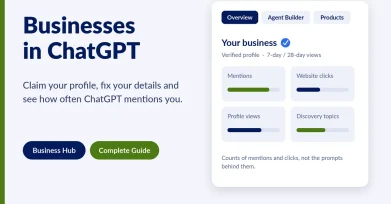
    Businesses in ChatGPT guide showing the Business Hub dashboard with mentions, website clicks, profile views and discovery topics
    Clock icon indicating estimated reading time 6 Min Read
    • November 20, 2026
    AI
    What Are Businesses in ChatGPT? A Complete Guide (2026)

    Businesses in ChatGPT is OpenAI's new beta program. Learn what Business Hub does, who can claim a profile, and how to get started in 2026.

    • urvi patel
    Node.js security update: laptop showing a red skull beside the Node.js logo, red bug icons and a blue shield with a gear in a dark server room
    Clock icon indicating estimated reading time 10 Min Read
    • October 28, 2026
    Web Development News
    Node.js Security Update: Brotli RCE and 9 More CVEs to Patch Now

    Node.js fixed 10 CVEs, including a Brotli flaw that can lead to RCE. Get the patched versions, a 7-step fix, and what to do if you’re still on Node.js 20.

    • Tejas Sanghvi
    PHP2Shell vulnerability: hooded attacker at a laptop showing a red skull, a US map with red attack markers, and a hand holding a blue shield beside server racks
    Clock icon indicating estimated reading time 9 Min Read
    • October 28, 2026
    Web Development News
    PHP2Shell Vulnerability: What US Businesses Must Patch Now

    Two critical PHP flaws let attackers run code without a login. Get the patched versions, a 7-step fix, and what to do if you're stuck on PHP 8.1 or older.

    • Tejas Sanghvi
    Syndell-Logo
    Turning Your Big Ideas Into Digital Reality.
    Follow Us
    Certified-USA
    ISO-Certified

    Quick Links

    • Industries
    • Areas We Serve
    • Case Studies
    • Client Testimonials
    • Contact Us
    • Get An Estimate
    • Blogs
    • Careers
    • Industries
    • Areas We Serve
    • Case Studies
    • Client Testimonials
    • Contact Us
    • Get An Estimate
    • Blogs
    • Careers

    Services

    • Web Development
    • Mobile Development
    • Startup Solutions
    • SaaS App Development
    • Full Stack Development
    • AI ML Development
    • WordPress Development
    • SEO Services
    • Web Development
    • Mobile Development
    • Startup Solutions
    • SaaS App Development
    • Full Stack Development
    • AI ML Development
    • WordPress Development
    • SEO Services

    Locations

    USA

    600 North Broad Street, Suite 5 #3424, Middletown, DE – 19709

    INDIA

    304 Shikhar Complex, Srimali Society, Navrangpura, Ahmedabad – 380009

    UK

    Bloc, 17 Marble St, Manchester, M2 3AW, United Kingdom
    ©Syndell 2014-2026. All rights reserved.
    Terms of Use | Privacy Policy | Sitemap