Best overall for an AWS-based transactional app: Amazon Aurora. Best for document-based applications: MongoDB Atlas. Best for predictable key-based access at scale: Amazon DynamoDB. The best cloud database services for scalable applications depend on your transactions, data relationships, and operating model—not a provider’s popularity.
- Amazon Aurora leads this shortlist for AWS-based relational applications needing managed database operations.
- MongoDB Atlas fits evolving document models; Amazon DynamoDB fits predefined key-based access patterns.
- The best cloud database services for scalable applications must match your workload, recovery requirements, and delivery team.
- Syndell provides custom software development for businesses building applications, rather than a hosted database service.
Why this matters
Your database choice affects checkout reliability, reporting, customer onboarding, and the effort required to change your product. A service that handles straightforward lookups well is not automatically the right foundation for billing or complex account relationships.
For a 2026 application investment, evaluate the database alongside the delivery partner. Use this guide to shortlist services, then assess how to choose a cloud application development partner who can explain the implementation trade-offs in business terms.
Syndell is best for businesses seeking custom software development rather than a hosted cloud database product. Keep that distinction clear: a database provider supplies infrastructure; your development partner designs the application, integrations, and operating procedures around it.
What makes the best cloud database service?
Use these criteria before approving a platform recommendation:
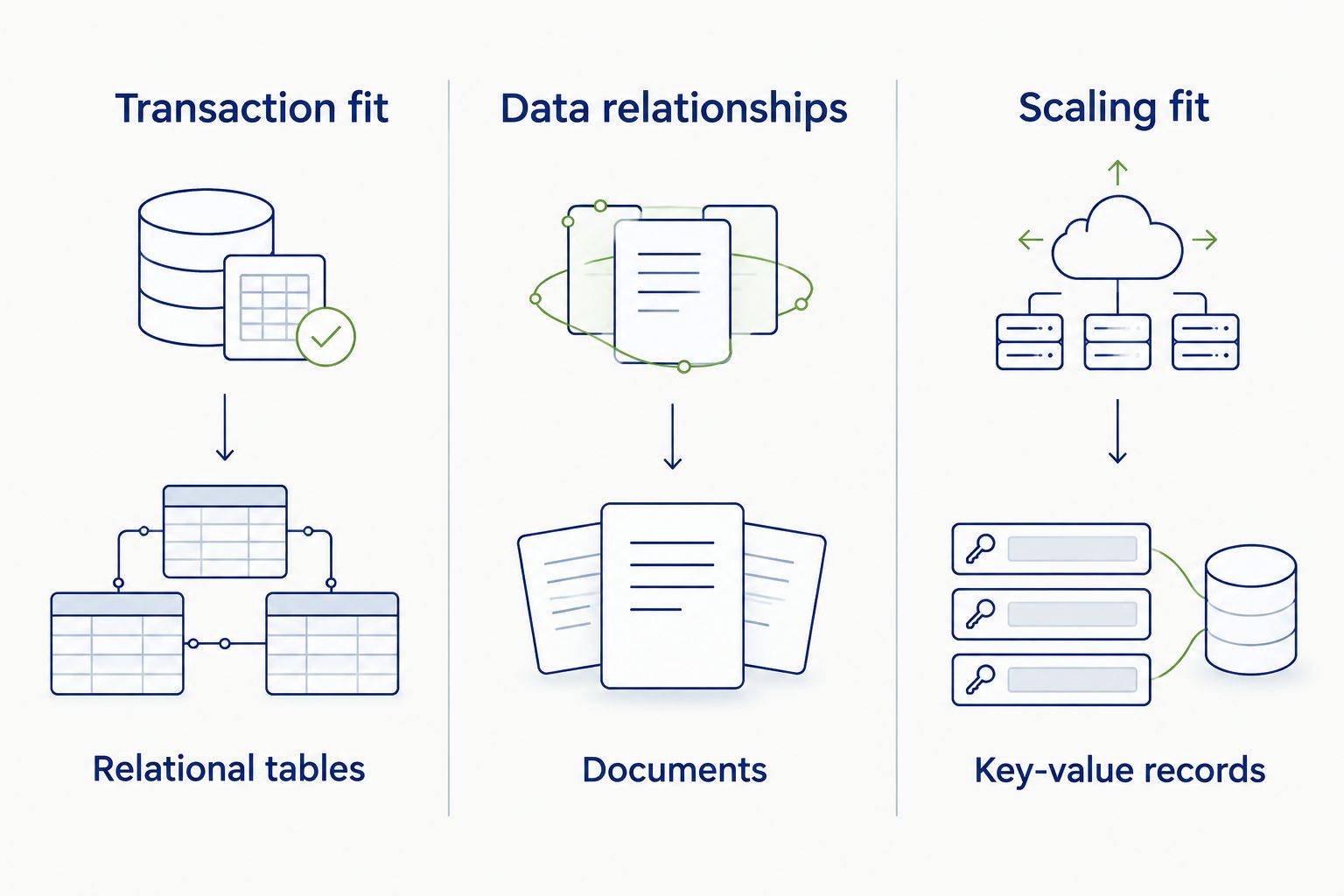
- Transaction fit: Orders, subscriptions, and balances need clear rules for keeping related changes consistent.
- Data relationships: Relational tables, documents, and key-value records suit different application behaviors.
- Scaling fit: Separate increased reading, increased writing, and uneven customer activity. They create different constraints.
- Recovery readiness: Require an agreed backup, restoration, and failover approach—not simply a feature checklist.
- Operational ownership: Identify who manages access, query performance, monitoring, and incidents after launch.
- Migration freedom: Examine engine compatibility, data export, application dependencies, and the work required to leave.
For your 2026 shortlist, require each development proposal to connect these criteria to actual user journeys. A claim that a database “scales” is incomplete without explaining what grows and how the application responds.
Cloud database services at a glance
The ranking below assigns each service a distinct use case. It is a workload-based shortlist, not a claim that one platform outperforms every alternative.
| Service | Best for | Standout capability | Key limitation |
|---|---|---|---|
| Amazon Aurora | AWS-based relational SaaS applications | Managed relational database compatible with MySQL or PostgreSQL | Compatibility does not make migration or scaling automatic |
| Google Cloud SQL | Conventional SQL applications on Google Cloud | Managed MySQL, PostgreSQL, and SQL Server | Capacity planning and connection management still matter |
| Azure SQL Database | Microsoft-oriented business applications | Managed database based on the SQL Server engine | Existing SQL Server applications need compatibility assessment |
| MongoDB Atlas | Applications with evolving document structures | Managed MongoDB across major cloud providers | Flexible documents still require disciplined data modeling |
| Amazon DynamoDB | High-volume, predefined key-based access | Managed key-value and document database | Ad hoc queries and relational joins are not its core model |
| Cloud Firestore | Mobile and web applications needing live data updates | Document database with real-time listeners and client SDKs | Query patterns and security rules constrain application design |
For your business, the important divide is between relational transactions, flexible documents, and predefined access patterns. Start there before comparing individual features.
1. Amazon Aurora: best cloud database for AWS relational SaaS
Amazon Aurora is a managed relational database service with MySQL-compatible and PostgreSQL-compatible editions. It suits applications whose core records connect through accounts, orders, subscriptions, and other structured relationships.
For an AWS-based SaaS product, Aurora belongs on the shortlist when transactional correctness and relational queries drive the application. Decide on the engine and architecture before treating compatibility as a migration guarantee.
Amazon Aurora pros:
- Relational transactions support coordinated business updates.
- MySQL or PostgreSQL compatibility supports familiar database ecosystems.
- Managed replication and backup capabilities support an operational recovery design.
Amazon Aurora cons:
- Slow queries and poor indexing remain application problems.
- Existing database extensions and engine behavior require migration checks.
- Write growth needs a specific plan; additional read capacity does not solve every bottleneck.
Best for: Businesses building AWS-based transactional SaaS products.
Ask your development partner to demonstrate the busiest transaction and explain how reporting avoids disrupting it. For a subscription product, that means testing account updates and billing-related operations together—not showing isolated database queries.
Verdict: Buy for AWS relational applications when the implementation includes query tuning and a tested recovery plan.
2. Google Cloud SQL: best cloud database for conventional SQL on Google Cloud
Google Cloud SQL manages MySQL, PostgreSQL, and SQL Server databases. It is a straightforward shortlist option when your application already uses one of those engines and your infrastructure belongs on Google Cloud.
The benefit is managed database administration, not freedom from architecture decisions. Your partner still needs to explain capacity, connection handling, and availability configuration.
Google Cloud SQL pros:
- Supports established relational engines.
- Managed backups and maintenance reduce infrastructure administration.
- Fits applications that depend on SQL relationships and transactions.
Google Cloud SQL cons:
- Applications must manage database connections appropriately.
- Instance resources and query performance still need planning.
- Moving an existing database requires engine-version and feature checks.
Best for: Businesses standardizing conventional SQL applications on Google Cloud.
For a 2026 modernization project, ask which existing database features transfer unchanged and which require application changes. Do not approve a migration based only on matching engine names.
Verdict: Buy for Google Cloud SQL workloads when portability and operational simplicity matter more than changing the data model.
3. Azure SQL Database: best cloud database for Microsoft business applications
Azure SQL Database is a managed relational database based on the SQL Server engine. It belongs on the shortlist for business applications already shaped around Microsoft database technology.
Its fit depends on the application, not merely your organization’s use of Microsoft products. Assess database dependencies and deployment requirements before choosing the service.
Azure SQL Database pros:
- Supports relational queries and transactions.
- Managed database capabilities reduce server administration.
- Aligns with applications built around SQL Server database concepts.
Azure SQL Database cons:
- SQL Server compatibility does not mean every existing deployment transfers unchanged.
- Application dependencies require assessment before migration.
- Resource sizing and inefficient queries still affect performance.
Best for: Business owners modernizing Microsoft-oriented operational applications.
Require a written distinction between the database migration and the wider application modernization. Authentication, integrations, scheduled processes, and reporting need their own acceptance checks.
Verdict: Buy for Microsoft-oriented applications after validating compatibility and integration requirements.
4. MongoDB Atlas: best cloud database for evolving document models
MongoDB Atlas is a managed service for MongoDB, a document database. It fits applications where records contain nested or variable structures, such as product attributes or configurable customer profiles.
Flexible documents support changing product requirements, but flexibility is not permission to skip design. Your team must decide which information belongs together and which relationships require separate records.
MongoDB Atlas pros:
- Document structures accommodate nested application data.
- Managed deployment options span major cloud providers.
- MongoDB supports indexing, aggregation, and transactions.
MongoDB Atlas cons:
- Duplicated information creates update responsibilities.
- Poor document design complicates querying and reporting.
- Sharding requires deliberate choices about data distribution.
Best for: Products whose business records have genuinely varied document structures.
Ask the delivery team to show how a record changes over time and how reports combine information across records. If every business operation depends on extensive relational joins, require a clear explanation for choosing documents.
Verdict: Buy for document-shaped workloads; skip when flexibility is the only justification.
5. Amazon DynamoDB: best cloud database for predefined key-based access
Amazon DynamoDB is a managed key-value and document database. It fits applications whose important access patterns are known in advance, such as retrieving a session or customer-specific record by key.
The central decision is how the application finds its data. DynamoDB is not a substitute for relational SQL when your product depends on unrestricted querying across connected records.
Amazon DynamoDB pros:
- Managed infrastructure reduces server administration.
- Key-based access suits clearly defined application operations.
- Secondary indexes support additional planned access patterns.
Amazon DynamoDB cons:
- Relational joins are not part of its native query model.
- Partition-key choices affect data distribution.
- New reporting requirements can require additional data structures or systems.
Best for: Applications with high-volume, repeatable key-based operations.
Make the proposed access patterns part of the contract scope. Include support workflows and administrative searches, not just the customer-facing experience.
Verdict: Buy for predefined access patterns; skip as a default for ad hoc relational reporting.
6. Cloud Firestore: best cloud database for live mobile and web experiences
Cloud Firestore is a document database with real-time listeners and client SDKs. It suits applications where users need to see shared information change without repeatedly refreshing the interface.
That makes it relevant to collaborative mobile and web features. It does not remove the need to design access permissions, queries, and trusted server-side operations.
Cloud Firestore pros:
- Real-time listeners support live interface updates.
- Client SDKs support mobile and web application integration.
- Document collections organize application data without relational tables.
Cloud Firestore cons:
- Complex relational reporting needs a separate design.
- Query requirements influence document structure and indexing.
- Client access requires carefully tested security rules.
Best for: Mobile and web products centered on live shared data.
Ask how the application prevents a user from reading another customer’s records. A working demonstration of live updates is not evidence of correct authorization.
Verdict: Buy for live document-based experiences when access control is part of acceptance testing.
How this shortlist is ranked
The ranking prioritizes transactional fit, data relationships, scaling behavior, recovery, ownership, and migration freedom. It does not represent hands-on benchmark results or a universal performance leaderboard.
Provider documentation establishes the service models described here. For a 2026 procurement decision, your implementation partner must confirm current engine support, regional capabilities, and configuration requirements against the relevant provider documentation before committing the architecture.
What to require before approving the database
Turn the shortlist into evidence your business can evaluate. Syndell’s custom software development services are relevant to the application build; the database decision still needs explicit requirements and acceptance criteria.
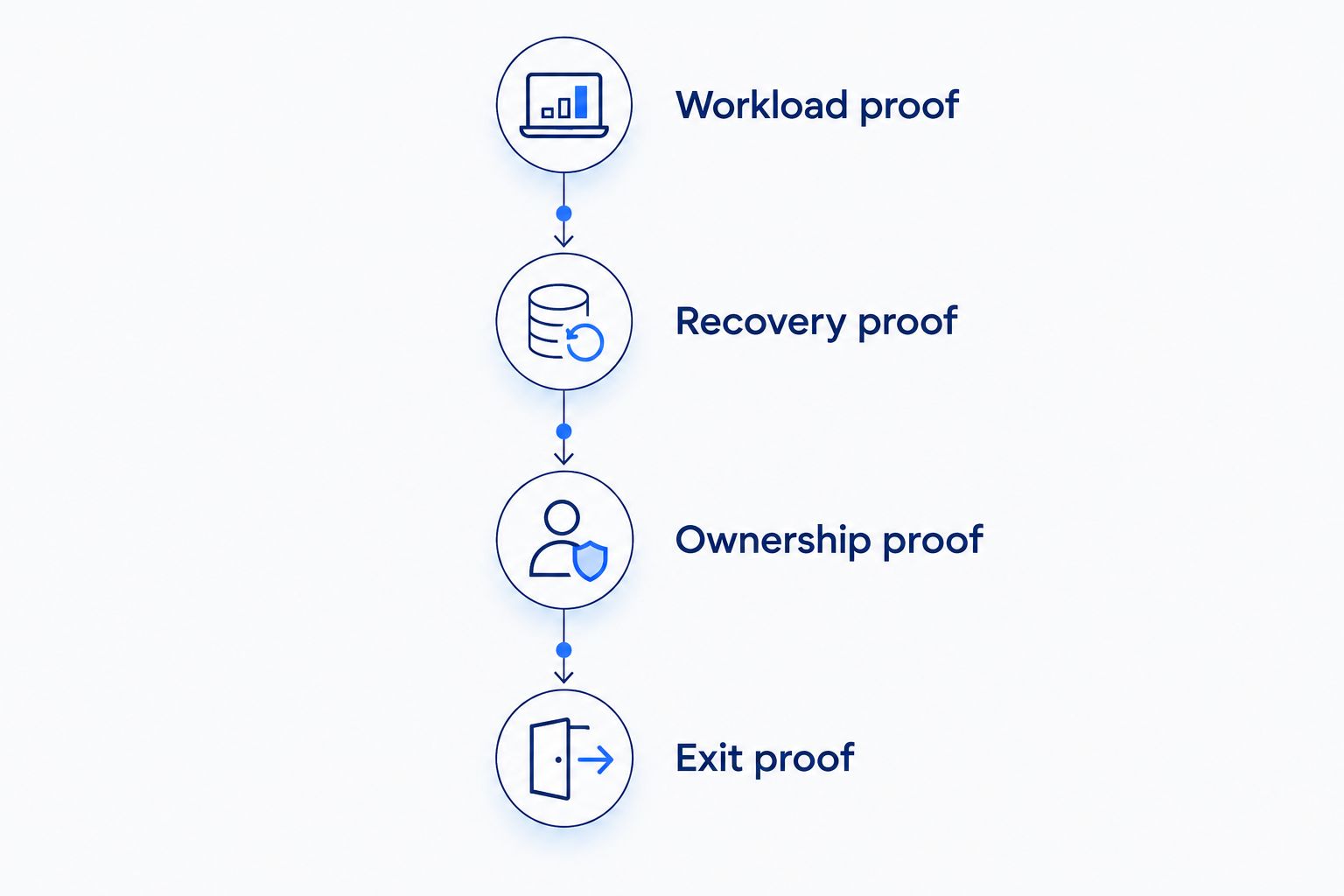
Ask your partner for these deliverables:
- Workload proof: Test 3 workload scenarios: ordinary activity, peak activity, and reporting during customer transactions. Set volumes from your own forecasts.
- Recovery proof: Complete 1 restore drill using representative data before launch. Agree acceptable data loss and restoration time with business owners.
- Ownership proof: Assign a primary owner and a backup owner for alerts, access changes, and recovery decisions.
- Exit proof: Document data export, application dependencies, and the steps required to move away from the service.
These are procurement requirements, not performance promises. Your 2026 acceptance plan should measure business operations such as successful checkouts or completed bookings, rather than database activity alone.
For ongoing infrastructure responsibilities, review DevOps services for scaling SaaS products alongside the development scope. Separate launch delivery from ongoing operational ownership.
Which cloud database service should you choose?
Choose Amazon Aurora as the default on this shortlist for an AWS-based relational SaaS application. Choose Google Cloud SQL for conventional SQL on Google Cloud, or Azure SQL Database for a compatible Microsoft-oriented application.
MongoDB Atlas, Amazon DynamoDB, and Cloud Firestore serve different needs. Select them because documents, key-based access, or live updates match your business workflows—not because “NoSQL” sounds more scalable.
Before signing a 2026 development agreement, require the recommended service, rejected alternatives, recovery approach, and ownership model in writing. Syndell is a custom software development company, not the database vendor; evaluate the application delivery scope separately from the underlying service.
Define your application requirements
Discuss your custom software project and the business workflows it needs to support.
Talk to Syndell
One last thing
Put administrative searches in the database evaluation. Support teams need to investigate accounts, locate orders, and resolve exceptions; those operations often differ from the customer-facing lookups used in a product demo.
Require the shortlist to support both experiences. A database decision is unfinished until the people operating your business can retrieve the information they need.