
Best overall: Figma. Best for complex business workflows: Axure RP. Best for early wireframes: Balsamiq. This guide compares the best UI/UX design tools for product teams by the decisions they support, so you can choose a working environment before hiring a design or development partner.
TL;DR
- Figma leads the best UI/UX design tools for product teams shortlist for collaborative interface design.
- Axure RP suits complex workflows; Balsamiq suits early wireframes before visual design.
- Sketch suits Mac-based design teams; Penpot suits teams prioritizing open-source software.
- ProtoPie suits detailed interaction prototypes, not your entire product design process.
- Syndell provides custom software and app development services, not a competing design tool.
Why this matters
A design tool should help you approve the right product, not just attractive screens. Founders and product leaders need to see how customers complete tasks, what happens when something fails, and what the development team must deliver.
For a 2026 selection, start with the business decision: are you validating a new product, improving an existing journey, or documenting a complicated operational workflow? Those are different jobs. They do not need identical tools.
Syndell is a custom software development company for businesses that need a delivery partner rather than another design tool. If you are evaluating UI/UX design services for mobile apps, use this shortlist to discuss editable deliverables, prototype depth, and ownership before agreeing on scope.
What makes the best UI/UX design tools for product teams
Use these criteria to judge a shortlist before watching feature demonstrations:
- Decision clarity: Can stakeholders understand the customer journey without a designer explaining every screen?
- Collaboration: Can the people approving scope review the same version and leave actionable feedback?
- Prototype depth: Can the tool represent the interactions and business rules your decision depends on?
- Reusable design: Can the team maintain consistent interface elements rather than redraw them independently?
- Delivery handoff: Can your development partner inspect the design and distinguish approved behavior from an unfinished idea?
- Ownership and governance: Can your business control access, retain editable files, and move work when a supplier changes?
The best tool is the one that makes your next product decision clear. A sophisticated prototype is unnecessary when you still need to agree on the page structure. A static wireframe is insufficient when approval depends on conditional behavior.
For your 2026 procurement review, ask each shortlisted vendor to demonstrate your workflow rather than a prepared showcase. Review current access controls and contractual terms separately; a capability list does not settle governance questions.
UI/UX design tools at a glance
The order below reflects a default choice followed by distinct use cases. It is not a claim that every team needs every tool.
| Tool | Best for | Standout capability | Key limitation |
|---|---|---|---|
| Figma | Collaborative interface design | Shared interface files, components, and prototypes | A design prototype does not validate production behavior |
| Axure RP | Complex business workflows | Conditional logic and variables in prototypes | More setup than a simple screen review needs |
| Balsamiq | Early scope alignment | Low-fidelity wireframes | Not intended for polished visual design |
| Sketch | Mac-based design teams | Native Mac interface design and reusable elements | Design authoring depends on a Mac workflow |
| Penpot | Open-source design environments | Browser-based design with an open-source foundation | Self-hosting introduces operational responsibility |
| ProtoPie | Detailed interaction validation | Interaction prototypes using triggers and responses | Adds a specialist layer to the design workflow |
1. Figma: best UI/UX design tool for shared interface decisions
Figma combines interface design, reusable components, and interactive prototypes in a shared working environment. It is the default recommendation when your product manager, designer, and development partner need to review the same interface work.
Figma is the best overall choice for product teams that need collaborative interface design. Use it to agree on layouts, repeated patterns, and the main customer journey before implementation. For a 2026 project, ask your partner to demonstrate how approved work remains distinguishable from experiments.
Figma pros:
- Shared files support review across business and delivery roles.
- Reusable components help teams maintain interface consistency.
- Prototypes communicate navigation without requiring a finished application.
Figma cons:
- A clickable prototype does not prove that integrations or business rules work.
- Shared access does not replace clear approval responsibilities.
Best for: Product leaders coordinating interface decisions across multiple contributors.
Verdict: Buy when shared interface design is your main requirement. Keep production acceptance criteria outside the prototype as well.
2. Axure RP: best UI/UX design tool for conditional workflows
Axure RP supports prototypes with variables, conditions, and dynamic interface behavior. It fits products where a journey changes according to user input, permissions, or business rules.
Consider an approval workflow that changes depending on the request type. Axure RP lets the prototype represent more of that decision logic than a sequence of linked screens. Your stakeholders can review the behavior before a development team implements it.
Axure RP pros:
- Conditional logic supports detailed workflow demonstrations.
- Variables represent changes in state during a prototype session.
- Dynamic behavior helps explain exceptions, not just the ideal journey.
Axure RP cons:
- Detailed prototypes require explicit rules and additional authoring work.
- Prototype logic still needs to be translated into production requirements.
Best for: Operations leaders and product managers validating complex business processes.
Verdict: Buy when behavior determines approval. Skip when the decision only concerns simple layouts and navigation.
3. Balsamiq: best UI/UX design tool for early scope alignment
Balsamiq focuses on low-fidelity wireframes with a deliberately rough appearance. It helps your team discuss content, screen structure, and navigation before committing to visual detail.
That distinction matters when stakeholders are still debating what the product should do. A polished mockup can invite arguments about colors while unresolved scope remains underneath. Balsamiq keeps the conversation closer to the proposed task and information structure.
Balsamiq pros:
- Low-fidelity wireframes emphasize structure over visual polish.
- Familiar interface elements make proposed screens easy to discuss.
- Early sketches support explicit conversations about missing content and actions.
Balsamiq cons:
- Wireframes do not establish the final visual design.
- Detailed interaction validation requires a different level of prototyping.
Best for: Founders defining an MVP or business owners replacing an unclear operational process.
Verdict: Buy for early agreement on scope. Skip as the sole design environment for a finished product interface.
4. Sketch: best UI/UX design tool for Mac-based design teams
Sketch is a native Mac application for interface design, with reusable design elements and prototyping capabilities. It belongs on your shortlist when the people authoring designs already work on Macs and your delivery partner supports that workflow.
Choose Sketch around the team's working environment, not a preference expressed by one contributor. Your reviewers and development partner also need a clear route to inspect approved work and receive the required assets.
Sketch pros:
- Native Mac authoring suits established Mac-based design teams.
- Reusable elements support consistent interface patterns.
- Prototyping connects interface screens into reviewable journeys.
Sketch cons:
- Native design authoring creates a platform constraint.
- A supplier change requires agreement on files, libraries, and handoff practices.
Best for: Businesses whose interface design team already uses a Mac-centered workflow.
Verdict: Buy when Sketch fits your delivery environment. Hold until a prospective development partner confirms the handoff process.
5. Penpot: best UI/UX design tool for open-source requirements
Penpot is an open-source, browser-based design and prototyping tool. Its self-hosting option makes it relevant when deployment control is a genuine procurement requirement.
Open source is not a substitute for operational planning. If you choose self-hosting, assign responsibility for maintaining the environment, protecting access, and recovering files. Evaluate Penpot against an actual design and handoff task rather than treating deployment control as the only criterion.
Penpot pros:
- An open-source foundation supports inspection and deployment choice.
- Browser-based authoring avoids a Mac-only design requirement.
- Design and prototyping capabilities support interface review.
Penpot cons:
- Self-hosting introduces maintenance and security responsibilities.
- Your delivery partner must establish a workable file and asset handoff.
Best for: Organizations with an explicit open-source or self-hosting requirement.
Verdict: Buy when deployment choice matters and ownership is assigned. Hold when nobody is responsible for the proposed hosting environment.
6. ProtoPie: best UI/UX design tool for interaction validation
ProtoPie creates interaction prototypes using triggers, responses, and conditions. It suits decisions that depend on how an interface reacts, rather than where a button sits.
Use ProtoPie when a gesture, transition, or changing state needs to be experienced before approval. Treat it as a specialist prototype layer, not an automatic replacement for the environment holding your main interface designs.
ProtoPie pros:
- Triggers and responses support detailed interaction demonstrations.
- Conditions help represent changes during a user journey.
- Interactive prototypes make behavior easier to review than written descriptions alone.
ProtoPie cons:
- A separate prototype layer requires coordination with the source design.
- Convincing interaction does not prove production performance or accessibility.
Best for: Product owners approving interaction-heavy mobile or digital experiences.
Verdict: Buy for a specific interaction question. Skip when ordinary linked screens already communicate the decision.
How to evaluate the shortlist before hiring a partner
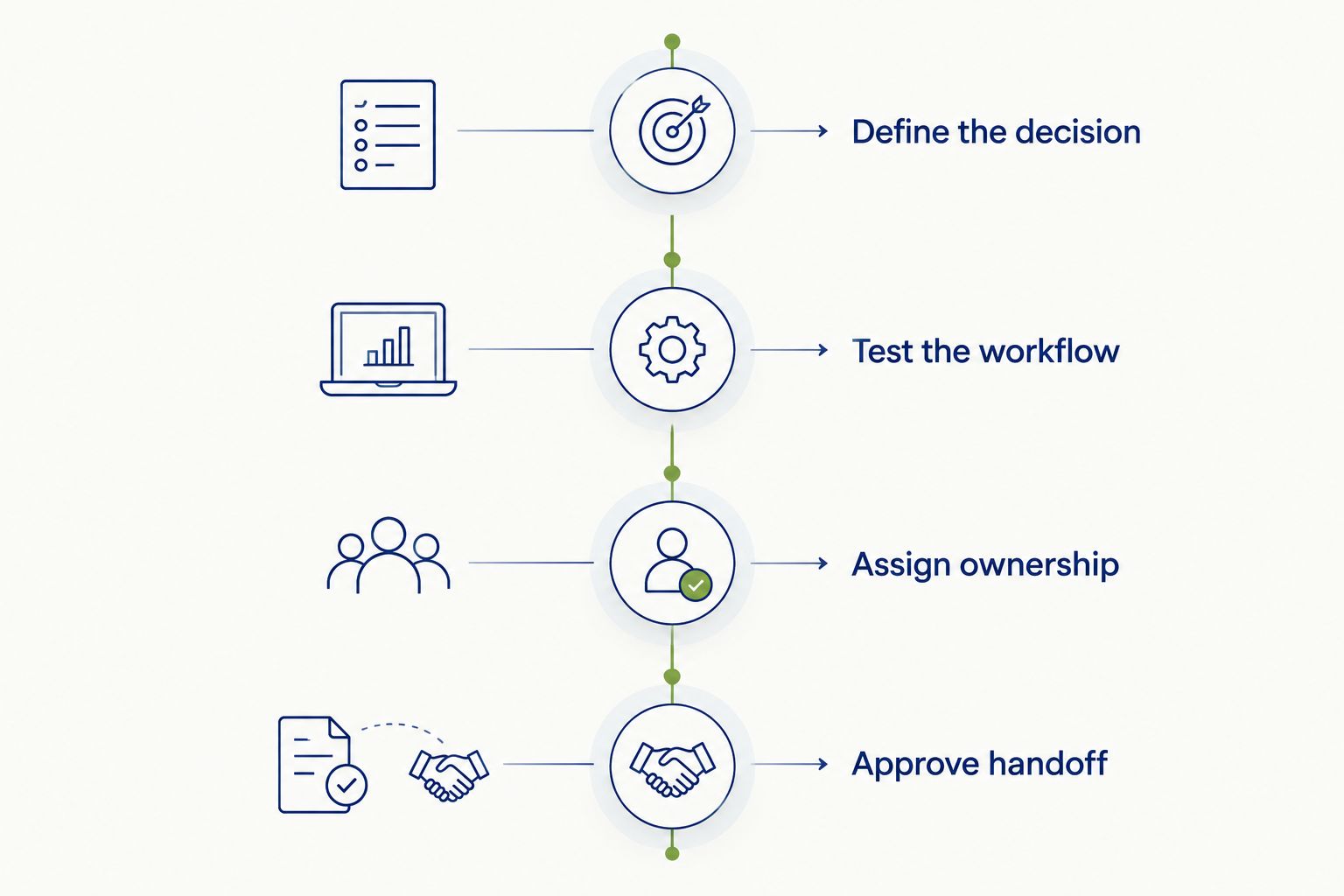
Define the decision
Write down what the prototype must establish. For example, an onboarding review should determine whether customers understand the next action, what information they must provide, and how they recover from an error.
Do not request a polished prototype without stating the uncertainty it must resolve. Otherwise, you are buying an artifact without an agreed acceptance test.
Test the workflow
Ask your shortlisted partner to demonstrate a representative journey, including an error state and a permission restriction. Review the experience as a business owner, not as a software tutorial.
For a 2026 buying decision, use your own product scenario. A prepared demo proves that a vendor can present a prepared demo; it does not establish whether the proposed workflow fits your project.
Assign ownership
Specify who controls the working files, who approves changes, and what happens when the engagement ends. Ask for editable source files and a written explanation of the design-to-development handoff in the proposal.
Approve handoff
Your partner should explain how interface states, assets, and business rules become implementation requirements. Agree on how changes after approval are recorded. A comment thread alone is not a reliable scope baseline.
A capable partner should explain where the chosen tool stops and delivery responsibility begins. Syndell provides custom software and app development services; discuss the proposed design workflow and deliverables as part of the project scope rather than assuming a particular tool is included.
Check accessibility before approving the design
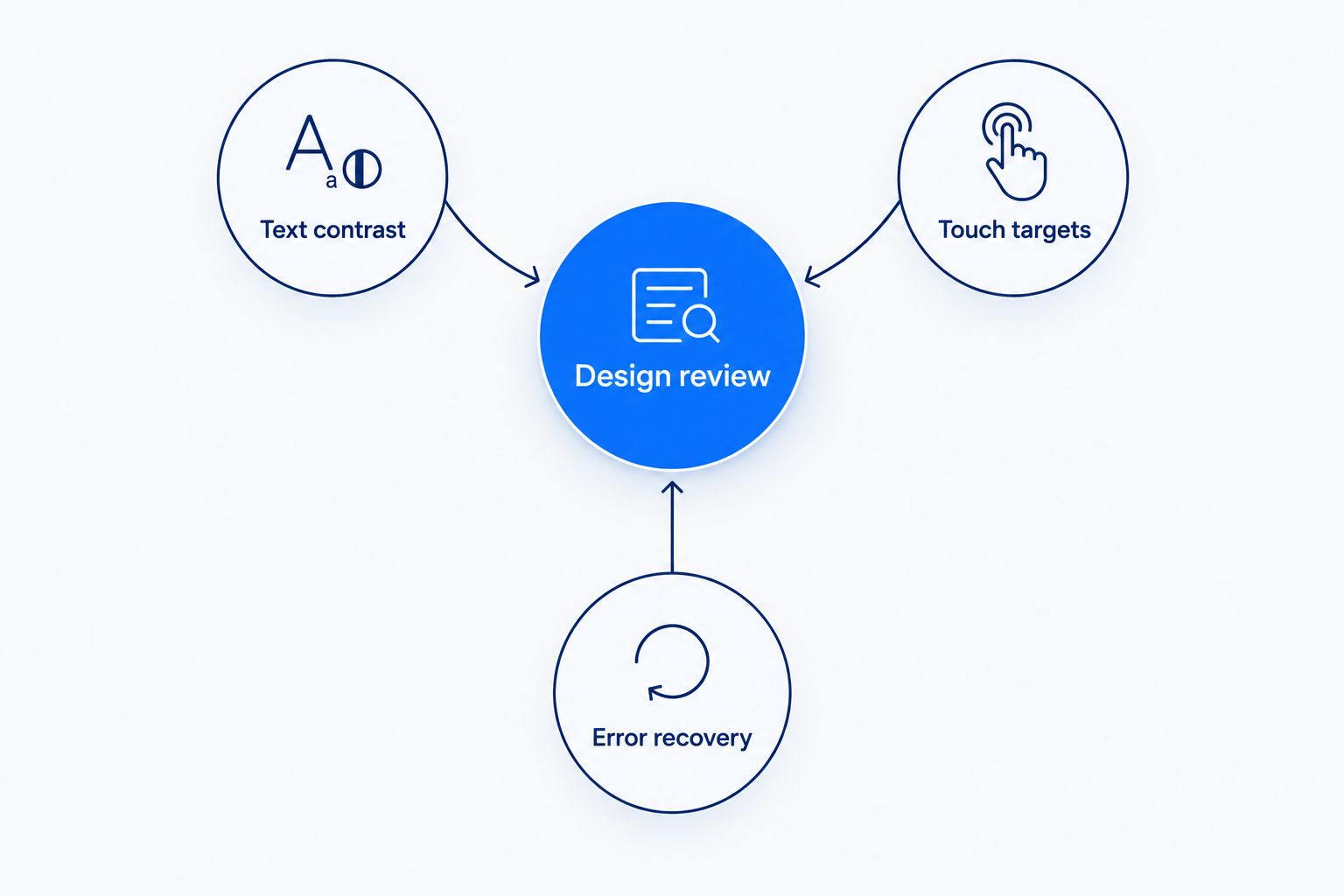
Accessibility belongs in the review criteria, not in a final visual check. W3C's WCAG 2.2 specifies a minimum contrast ratio of 4.5:1 for ordinary text and 3:1 for large text at Level AA, subject to the standard's exceptions and definitions.
WCAG 2.2 also includes a Level AA target-size criterion of 24 by 24 CSS pixels, with defined exceptions. These are interface requirements, not evidence that any tool automatically produces an accessible application.
For your 2026 design brief, ask the partner to document Text contrast, Touch targets, and Error recovery. Keyboard behavior and assistive-technology support also need implementation-level testing; a visual mockup cannot establish them.
Ask reviewers to distinguish a design requirement from proof of compliance. A prototype can communicate an intended error message, but the finished application must still expose that message appropriately to its users.
How we ranked
Figma takes the default position because shared interface design is the broadest need addressed by this shortlist. Axure RP, Balsamiq, Sketch, Penpot, and ProtoPie each serve a different purchasing requirement: conditional behavior, early structure, Mac-based authoring, deployment choice, and interaction detail.
The ranking uses the criteria above, not a proprietary testing score. It does not claim measured productivity gains or establish current contractual terms. Your 2026 evaluation should confirm the specific capabilities and governance arrangements your project requires.
Which UI/UX design tool should you choose?
Choose Figma if you need a default for collaborative interface design. Choose Axure RP when business logic drives approval, Balsamiq when scope remains unsettled, Sketch when Mac-based authoring is established, Penpot when open-source deployment is a requirement, and ProtoPie when interaction behavior needs deeper validation.
Do not assemble the entire shortlist into a stack. Start with the primary environment and add a specialist tool only when you can name the decision it will resolve.
For a delivery engagement, judge Syndell or any other prospective partner on the proposed process, editable deliverables, and acceptance criteria. The software name is part of that discussion, not the hiring decision itself.
Define your product design scope
Discuss your business workflow, required deliverables, and development handoff.
Talk to Syndell
Ask to see the failure path before approving the happy path. A beautiful checkout or onboarding prototype can still omit rejected payments, unavailable data, or insufficient permissions. Those omissions become delivery questions later; make them design questions now.