Best overall shortlist choice: Flutter for a shared, branded mobile experience. Best for React-based businesses: React Native. Best for web-first workflows: Ionic. This guide compares the best mobile app development frameworks by business fit, integration requirements, and maintenance responsibilities before you hire a development partner.
TL;DR
- Best mobile app development frameworks compared: shortlist Flutter for shared interfaces, React Native for React alignment, and Ionic for web-first workflows.
- Choose .NET MAUI for C# business applications and Kotlin Multiplatform for shared logic with platform-specific interfaces.
- Syndell provides custom mobile app development services for businesses building digital products.
- Before hiring an app development company, require evidence for critical integrations and a written maintenance plan.
Why this matters
A framework determines how your development team builds interfaces, connects device features, and maintains platform-specific code. It does not determine whether your product solves a customer problem. Choosing by popularity alone leaves the most important delivery questions unanswered.
For a 2026 mobile app development brief, separate product requirements from technology preferences. Specify customer journeys, device dependencies, accessibility expectations, and ownership before requesting proposals. The Flutter app development company buyer guide explains the partner-selection questions behind that shortlist choice.
Syndell is a mobile app development partner for businesses building custom digital products. Treat the framework as part of your purchasing decision, not as the service you are buying. You need a maintainable product, accountable delivery, and a clear handover.
What makes the best mobile app development framework?
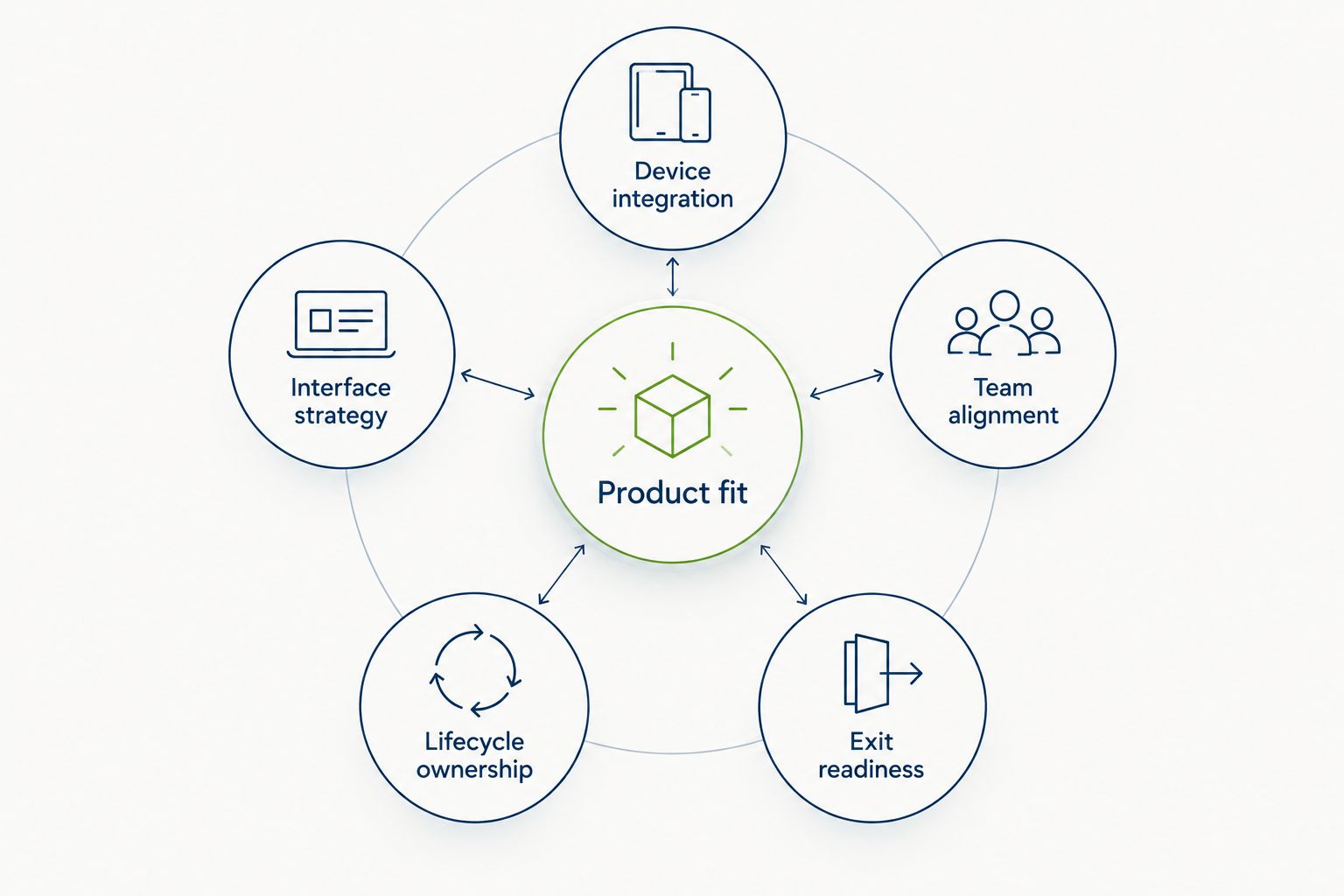
Use these criteria to assess proposals before comparing framework names:
- Product fit: Does the framework support your customer journeys without unnecessary workarounds?
- Device integration: Can the team demonstrate your required camera, location, Bluetooth, payment, or notification workflows?
- Interface strategy: Do you need a shared branded interface or platform-specific interaction patterns?
- Team alignment: Does the delivery and maintenance team have relevant experience with the proposed stack?
- Lifecycle ownership: Who handles dependencies, operating-system changes, testing, and releases after launch?
- Exit readiness: Can another qualified team build, understand, and maintain the application from your handover materials?
For each criterion, ask for evidence rather than adjectives. A working integration, an architecture explanation, and a documented release process tell you more than a claim that a framework is fast or scalable.
Mobile app frameworks at a glance
The order below follows distinct purchasing situations, not a measured performance leaderboard. Each framework solves a different organizational or product constraint.
| Framework | Best for | Standout capability | Key limitation |
|---|---|---|---|
| Flutter | Shared, branded mobile interfaces | Its own widget and rendering system | Requires Dart expertise; device features can need native work |
| React Native | Businesses with React experience | React-based development using native platform components | Platform differences and native dependencies still require attention |
| Ionic with Capacitor | Web-first business workflows | Web interfaces packaged with access to native capabilities | Mobile web rendering is a constraint for demanding interactions |
| .NET MAUI | C#-centered business applications | Shared .NET application development across platforms | Platform-specific behavior and controls still need validation |
| Kotlin Multiplatform | Shared logic with native interfaces | Selective sharing of business and data logic | Separate native interfaces retain platform delivery work |
Do not treat cross-platform support as proof that every feature works identically. For a 2026 shortlist, ask your proposed partner to identify the shared components, platform-specific components, and external dependencies explicitly.
1. Flutter: best mobile framework for shared branded interfaces
Flutter uses Dart and its own widget system to build application interfaces. It supports sharing interface code across mobile platforms, making it a useful shortlist choice when your business wants consistent product design across iOS and Android.
The buying question is not whether Flutter can display your screens. It is whether your partner can deliver the device integrations, accessibility behavior, and maintenance process those screens depend on.
Flutter pros:
- Shared interface code supports a consistent branded experience.
- Its widget system gives teams control over interface composition.
- Platform channels provide a route to platform-specific functionality.
Flutter cons:
- Your maintenance team needs Dart and Flutter experience.
- Plugins do not remove the need to evaluate native integration quality.
- A shared interface still requires platform-specific testing.
Best for: Businesses prioritizing a shared mobile interface rather than separate platform-specific designs.
Ask the partner to demonstrate your hardest interaction on the actual target devices. A booking screen says little about background location, hardware connections, or an offline workflow.
Verdict: Buy into Flutter when shared interface delivery is central to your product and integration risks have been demonstrated.
2. React Native: best mobile framework for React-aligned businesses
React Native uses React with JavaScript or TypeScript to build mobile applications using native platform components. It is a logical shortlist option when your business already has React experience and wants that knowledge to inform mobile delivery.
React experience creates alignment, not automatic mobile competence. Your development partner still needs to explain platform behavior, native modules, and release management.
React Native pros:
- React concepts support continuity with an existing React-oriented team.
- Shared application code can cover common mobile workflows.
- Native modules provide access to functionality outside the shared layer.
React Native cons:
- Web React components are not automatically reusable mobile interfaces.
- Native dependencies and platform-specific code need maintenance.
- Behavior and layout must be checked on each target platform.
Best for: Organizations with React experience that want a related mobile application stack.
For a 2026 procurement decision, request examples of comparable mobile delivery rather than accepting web experience as sufficient. Ask who owns native integration work when a dependency does not meet your requirements.
Verdict: Buy into React Native when React alignment is useful and the partner demonstrates mobile-specific delivery experience.
3. Ionic: best mobile framework for web-first business workflows
Ionic provides interface components built around web technologies. With Capacitor, a web application can run within a native application container and access device capabilities through plugins or custom native integrations.
This approach belongs on the shortlist for form-driven workflows, account management, and business tools where web development alignment matters. It is not a substitute for checking the experience on real mobile devices.
Ionic pros:
- Web technologies support alignment with web application teams.
- The same web-oriented interface approach can serve browser and mobile use cases.
- Capacitor provides a path to native device capabilities.
Ionic cons:
- Web-view rendering differs from a native interface approach.
- Complex gestures and demanding visual interactions require careful validation.
- Device features still depend on suitable plugins or native implementation.
Best for: Businesses building web-first operational applications with mobile access.
Ask your partner to demonstrate keyboard behavior, long forms, navigation, and poor-connectivity handling. These everyday interactions matter more to an operations team than a polished opening screen.
Verdict: Buy into Ionic for web-first workflows; skip it as the default for interaction-heavy products without a convincing prototype.
4. .NET MAUI: best mobile framework for C# business applications
.NET MAUI lets teams build cross-platform applications using C# and .NET, with shared application code and interfaces commonly defined through XAML. Its strongest purchasing argument is alignment with an established .NET delivery and maintenance environment.
That alignment concerns skills and application structure. An existing .NET backend does not require a .NET MAUI mobile client; other frameworks can connect to the same application programming interfaces.
.NET MAUI pros:
- C# supports continuity with an existing .NET-oriented team.
- Shared application code can cover business workflows across platforms.
- Platform-specific APIs remain accessible where shared abstractions are insufficient.
.NET MAUI cons:
- Shared controls do not guarantee identical platform behavior.
- Native dependencies still require integration and release testing.
- Backend .NET experience alone does not establish mobile delivery competence.
Best for: Businesses whose application ownership model centers on C# and .NET expertise.
Require the partner to show the proposed controls and integrations on your target devices. Organizational familiarity is useful only when the application meets the product requirements.
Verdict: Buy into .NET MAUI when .NET ownership is a clear advantage and mobile implementation evidence supports the choice.
5. Kotlin Multiplatform: best framework for shared logic and native interfaces
Kotlin Multiplatform supports sharing selected code across platforms. A business can use it to share networking, data handling, and business rules while retaining platform-specific interfaces; shared interfaces are also possible through Compose Multiplatform.
The recommendation here concerns selective logic sharing. It suits products where your team wants native interface ownership without maintaining every business rule separately.
Kotlin Multiplatform pros:
- Teams can choose which application layers to share.
- Shared logic can coexist with platform-specific interfaces.
- Adoption can focus on selected modules rather than an immediate full rewrite.
Kotlin Multiplatform cons:
- Separate native interfaces retain separate implementation responsibilities.
- The partner needs competence across shared Kotlin and platform-specific code.
- Shared modules do not remove platform testing or release obligations.
Best for: Businesses prioritizing native interfaces while consolidating selected application logic.
Ask for an architecture diagram that names the shared modules and their owners. Without that boundary, selective sharing becomes an unclear maintenance arrangement.
Verdict: Buy into Kotlin Multiplatform when shared logic and native interface ownership are deliberate requirements.
How the frameworks are ranked
Flutter is the default shortlist choice here for shared branded interfaces, not a universal winner. React Native follows for React alignment, Ionic for web-first delivery, .NET MAUI for C# ownership, and Kotlin Multiplatform for selective sharing.
The ranking applies the criteria above: product fit, integrations, interface strategy, team alignment, maintenance, and handover. It does not claim measured speed improvements, development savings, or delivery results. Your requirements determine which option moves to the top.
What to require before approving a framework
A 2026 framework proposal should separate the technology decision from the development partner's responsibilities. Syndell provides custom software and mobile app development services; use the same evidence-based purchasing criteria when evaluating any proposed delivery approach.
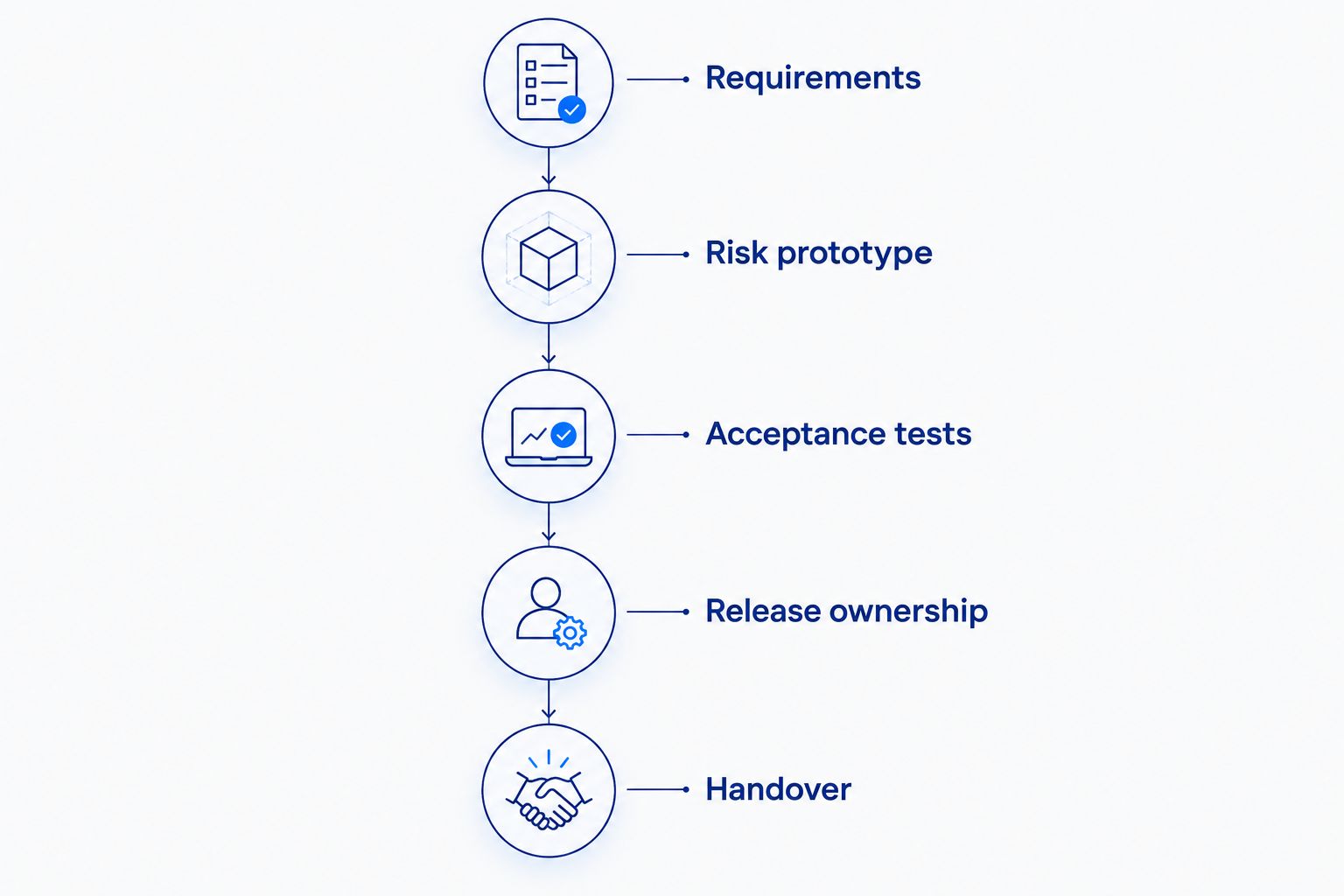
Request these items before approving implementation:
- Requirements: Identify the customer journeys, supported devices, accessibility needs, and integration boundaries.
- Risk prototype: Request 1 working prototype of the integration or interaction most likely to change the architecture.
- Acceptance tests: Select 3 critical workflows and define what successful completion means for each.
- Release ownership: For an iOS-and-Android product, require testing and release responsibilities for 2 mobile platforms.
- Handover: Specify source access, build instructions, credentials ownership, dependency records, and maintenance responsibilities.
These are recommended purchasing checkpoints, not delivery benchmarks. A prototype should answer a risk question, not merely show attractive screens. Acceptance tests should describe business behavior, including failed payments, interrupted connections, or permission refusal where relevant.
Keep backend, security, and data responsibilities visible in the proposal. No framework automatically supplies secure authentication, appropriate access controls, or regulatory compliance. Those requirements belong in architecture, implementation, and verification.
Which mobile app framework should you choose?
Start with Flutter if you want a shared branded mobile interface and have no stronger organizational constraint. Choose React Native for React alignment, Ionic for web-first workflows, .NET MAUI for C# ownership, or Kotlin Multiplatform for shared logic with native interfaces.
Before signing a 2026 development agreement, require the proposed partner to explain what the recommendation excludes. A useful proposal identifies unsupported assumptions, native work, dependency risks, and post-launch ownership. A framework name alone answers none of those questions.
Turn your app requirements into a development brief
Discuss your custom mobile product and development team needs.
Talk to Syndell
One last thing
Sharing code does not mean sharing every release responsibility. Your iOS and Android applications still need platform-specific checks, distribution preparation, and ownership. Write those responsibilities into the agreement before approving the framework; that detail protects the product after its first launch.